

Gbyte Unlock

Gbyte Unlock
Safely remove any iPhone/iPad screen lock in a few clicks.
 Gbyte Editorial Team
Table of contents
Quick Overview
I tested all four of LockWiper's unlocking features. Screen passcode, Apple ID and Screen Time removal all worked; MDM removal worked too, but the profile comes back after a reset. Every one of the four erases the device, so a backup matters more here than the price.

What I Liked:

Main Limitations:
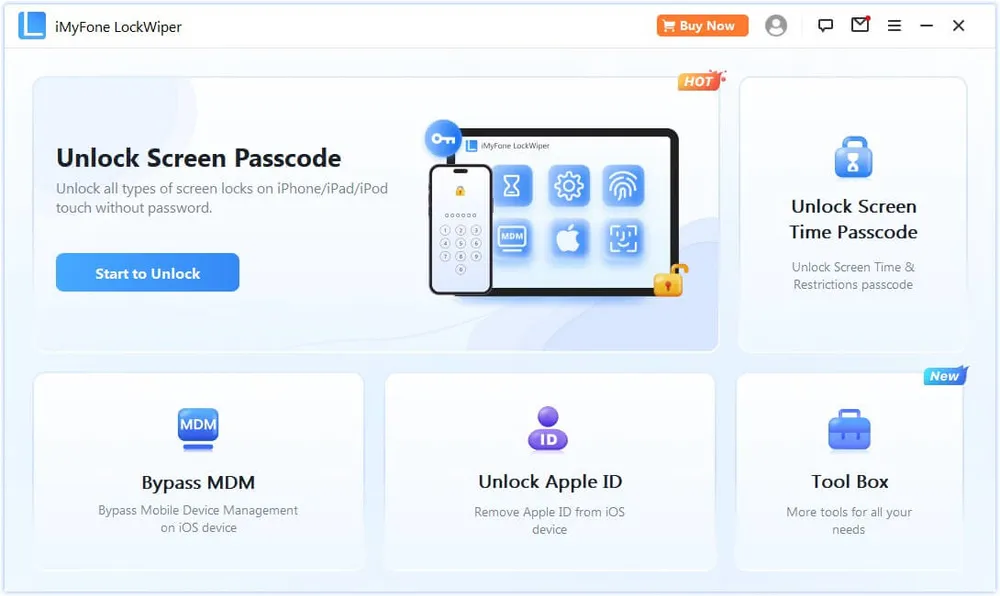
iMyFone LockWiper is an iPhone unlocking software designed to help users remove different types of device restrictions. It focuses on situations where you cannot access your iPhone because of a forgotten password, account restriction, or management profile.
Similar tools like Dr.Fone and 4uKey also offer multiple iPhone unlocking features, including the following options:
Feature | LockWiper Claims | My Test Results |
|---|---|---|
Screen Passcode Removal | Removes forgotten lock screen passwords | Removed successfully. Device reset to factory settings. |
Apple ID Removal | Removes Apple ID restrictions in supported cases | Removed the account, but only on a device I could already unlock and use. Erases the device. |
Screen Time Passcode | Removes forgotten Screen Time passwords | Cleared the passcode and restrictions successfully. Requires erasing the device. |
MDM Removal | Removes MDM restrictions | Bypassed the profile on the device, but the result is not permanent — it returns after a reset or reactivation. |
For many users, the most common situation is forgetting the lock screen password. In this case, LockWiper provides a guided process instead of requiring you to manually navigate Apple's recovery options.
However, you should understand that iPhone security has strict limitations. No third-party unlocking software can remove every type of lock in every situation. The result depends on your device status and Apple's security settings
Item | Details |
Device | iPhone 12 mini |
iOS Version | iOS 26 |
Computer | Windows 11 PC |
Connection | USB cable |
Software | v8.1.5 |
Testing Focus | Screen Passcode Removal, Apple ID Removal, Screen Time Passcode Removal, and MDM Removal |
Test Date | September 1, 2026 |
Forgetting an iPhone passcode is one of the most common reasons users search for an iPhone unlock tool. I tested LockWiper’s Screen Passcode Removal feature to see how the actual unlocking process performs.
After opening LockWiper, I selected the Screen Passcode Removal option and connected the locked iPhone to my computer.
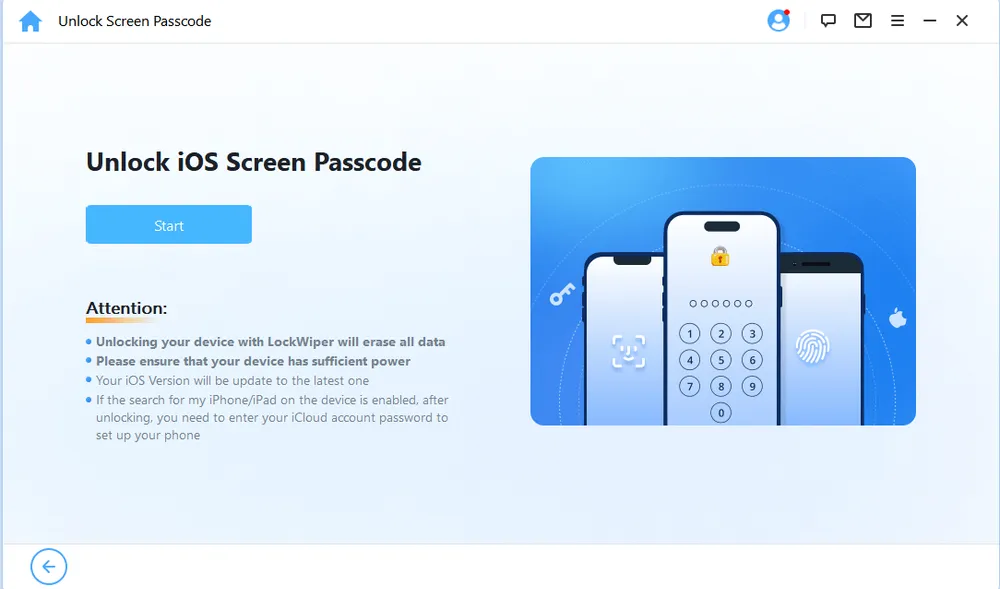
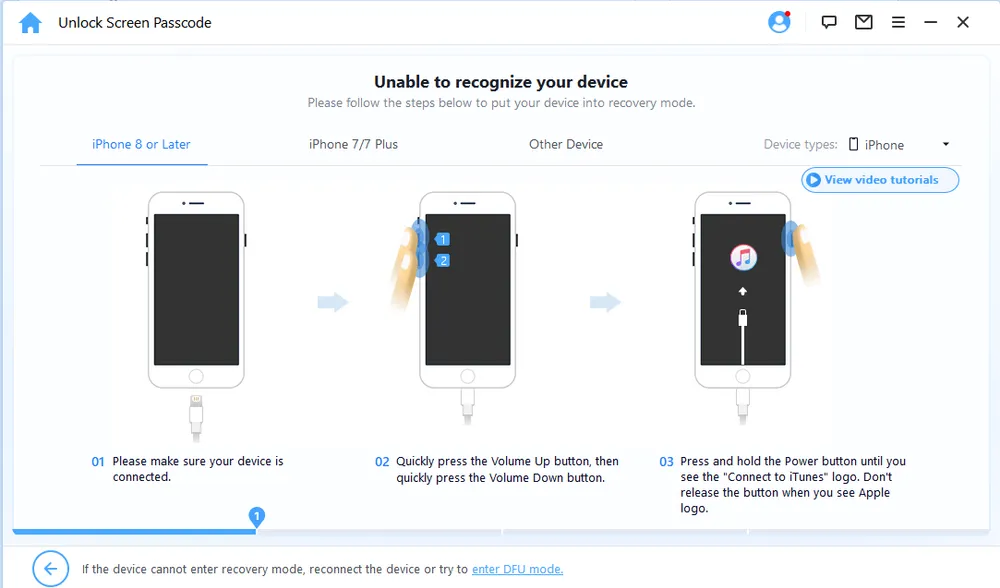
The software detected the device and guided me through the next steps. The process mainly required entering Recovery Mode, downloading the matching firmware package, and allowing LockWiper to prepare the device for unlocking.
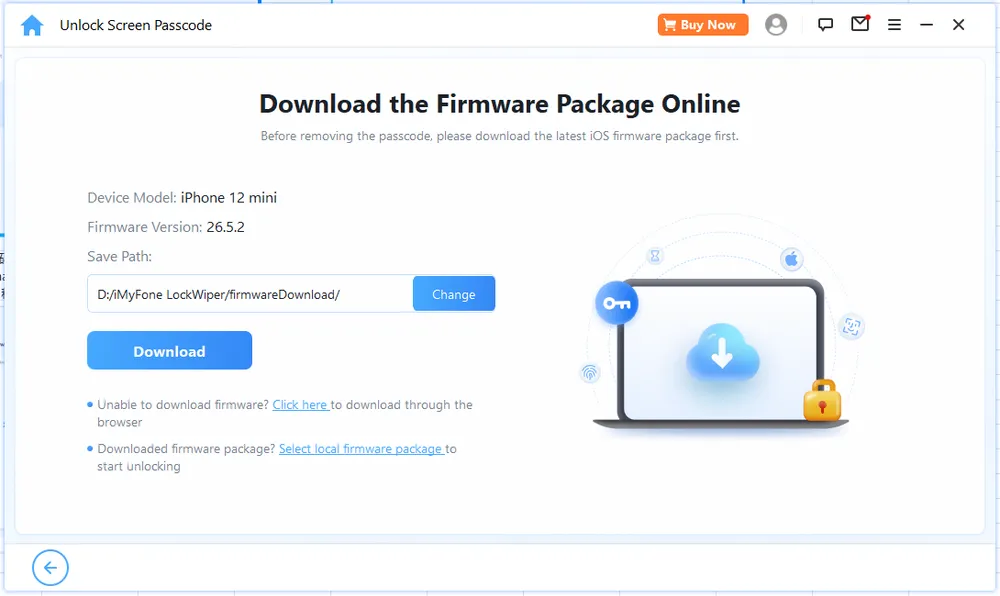
The firmware download was the longest part of my test. LockWiper needed to download a firmware package of around 10 GB, which took approximately 11 minutes in my testing environment.
The waiting time depends on your internet connection speed, and the large firmware size means you should make sure your computer has enough free storage before starting. Some users may find this stage slower than expected, especially when the download speed is unstable.
After the firmware was downloaded and verified, LockWiper prompted me to enter “00000” to confirm that I understood the unlocking process would erase all data on the device. Once I entered the code and clicked “Unlock,” the tool started removing the screen passcode. The final unlocking process took around 12 minutes.
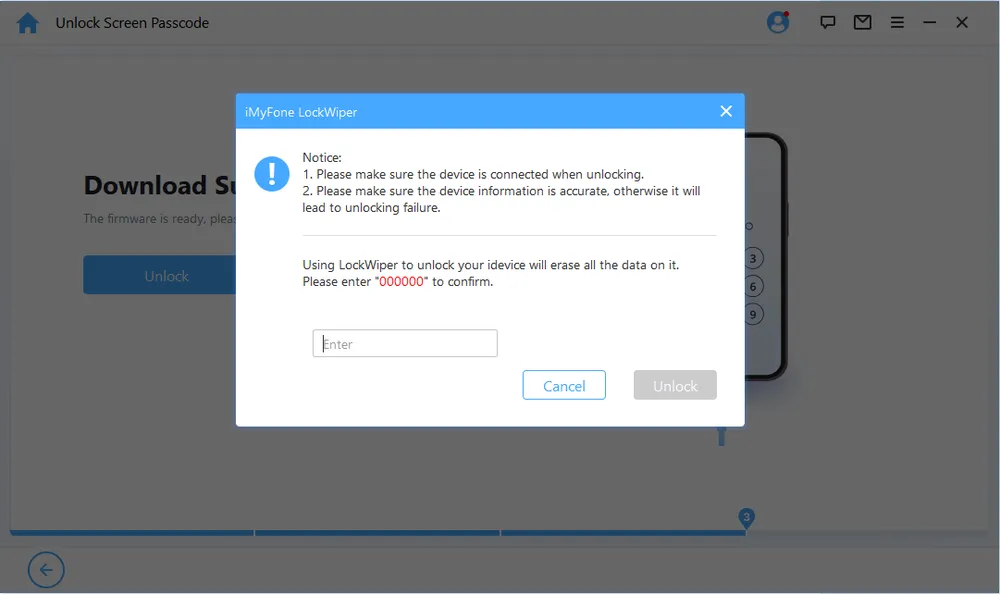
In my test, LockWiper successfully completed the screen passcode removal process. The guided workflow made the steps easier to follow, especially for users who are unfamiliar with Recovery Mode.
However, there are still some limitations you should consider. First, removing a forgotten screen passcode requires erasing the iPhone, so all existing data will be removed unless you have a backup. Second, the result may vary depending on your iPhone model, iOS version, and device condition.
While LockWiper can be effective for supported devices, it is not a guaranteed solution for every locked iPhone scenario.
Apple ID removal is one of LockWiper's more advanced features. Many users consider using it after forgetting their Apple ID credentials or buying a second-hand iPhone that is still associated with an existing account.
Worth being clear about who this helps: it works on a phone you can already get into. If a second-hand iPhone is stuck on the Activation Lock screen during setup, this feature won't get you past it.
To start the Apple ID removal process, your device must meet at least one of these requirements: Find My iPhone is turned off, or Two-Factor Authentication (2FA) is enabled.
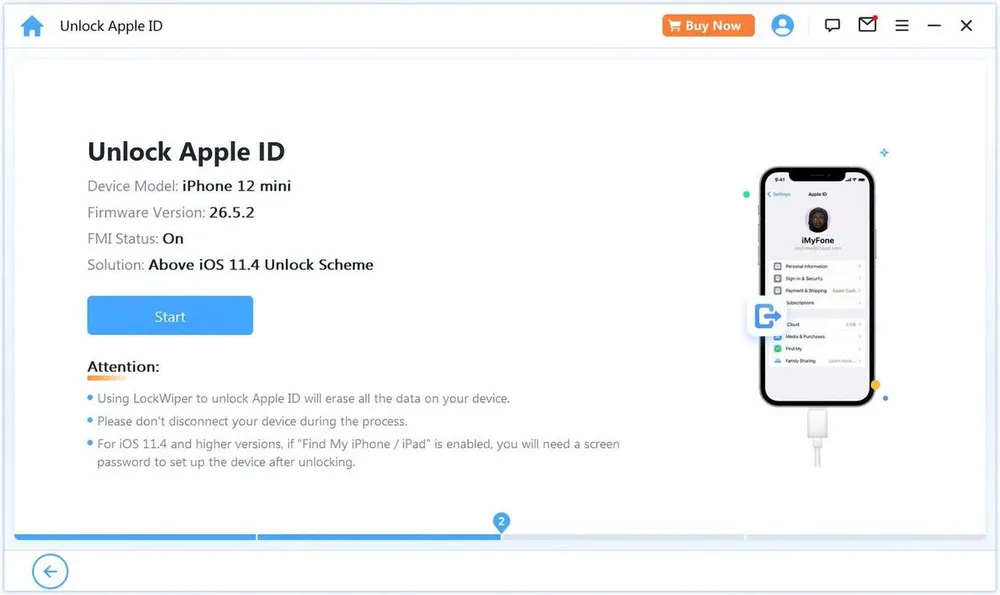
Once my device met the requirements, I connected it to my computer and followed the on-screen instructions to start the removal process. The steps were clearly explained, and I didn't run into any confusion while completing the workflow.
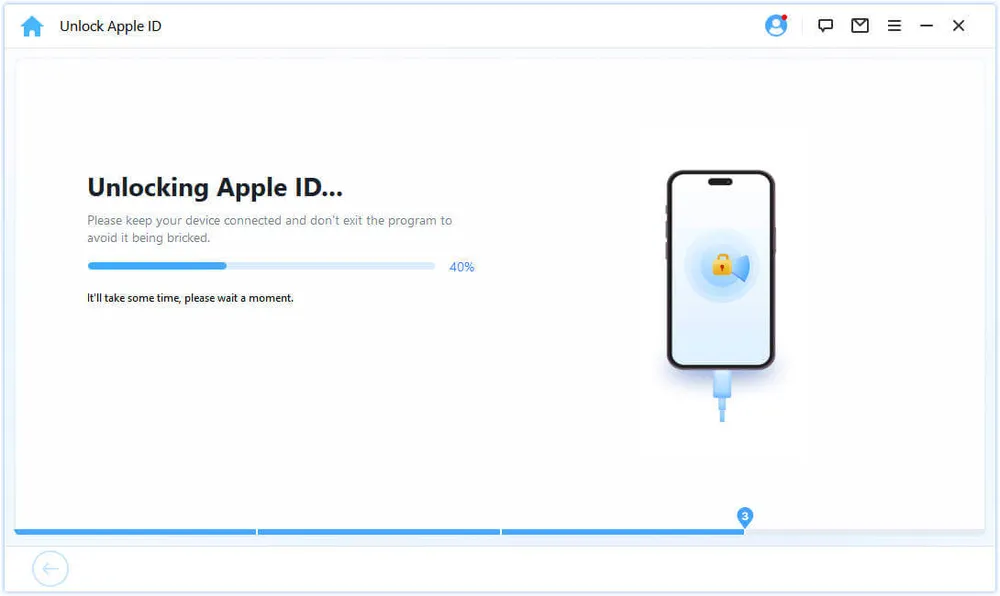
Compared with screen passcode removal, this feature depends much more on the device's security status than on the software itself. Apple's built-in security protections mean that LockWiper cannot remove every Apple ID-related restriction.
For example, if the device is still protected by Activation Lock or linked to another person's Apple ID without meeting the required conditions, the removal cannot be completed.
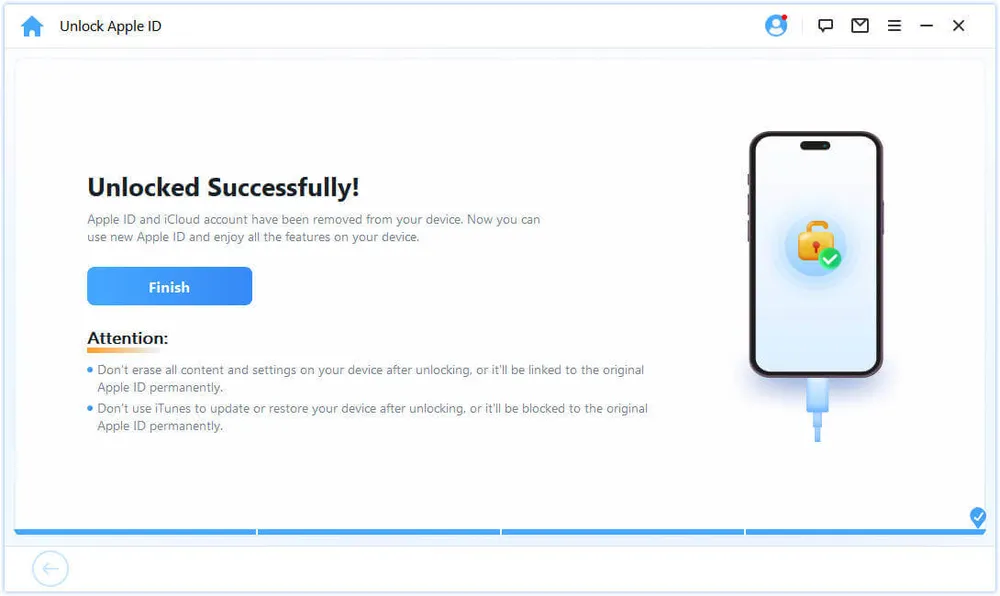
Result: The Apple ID was removed from the device. Two things are worth knowing before you try this. First, it only works on an iPhone you can already unlock and use — it is not a way into a locked second-hand device. Second, the process erases the device, so anything on it goes unless you have a backup.
The process itself was simple after meeting the requirements, but the limitations are worth keeping in mind. LockWiper cannot remove every Apple ID-related restriction, so checking your device status before purchasing can help avoid disappointment.
Screen Time Passcode Removal is designed for users who have forgotten the restrictions passcode on their iPhone or iPad.
When I tested this feature, LockWiper first asked me how Screen Time had been set up. There were two options, and each had different requirements.
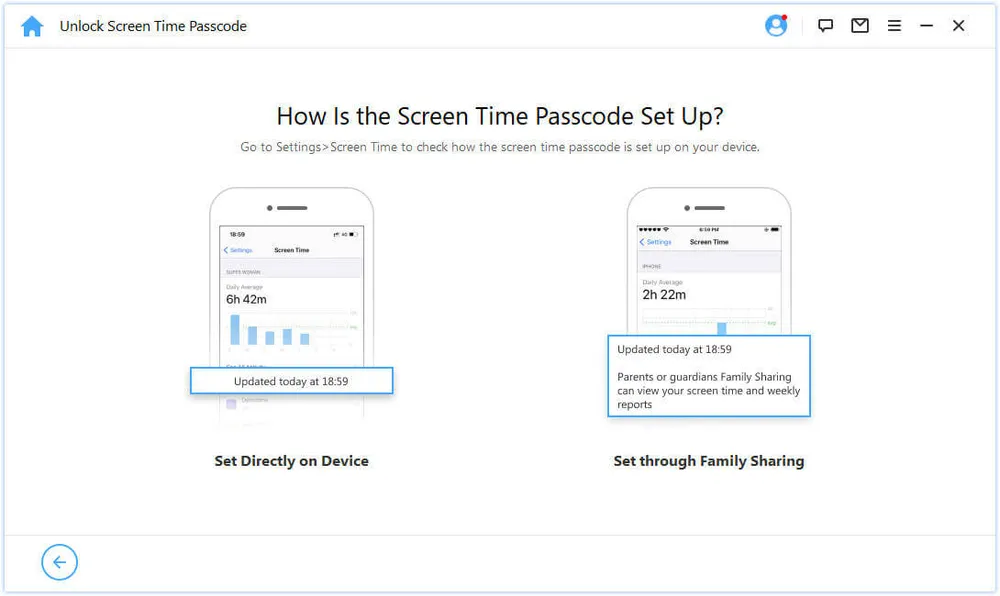
Set Up on This Device: Find My iPhone must be turned off before you can continue.
Set Up Through Family Sharing: Two-Factor Authentication (2FA) must be enabled, and the device must already have a screen passcode set.
Result: The Screen Time passcode and its restrictions were cleared successfully, and the change held after the device restarted. The removal itself runs quickly, but the device has to be erased as part of the process — factor in the time to set it up again afterwards.
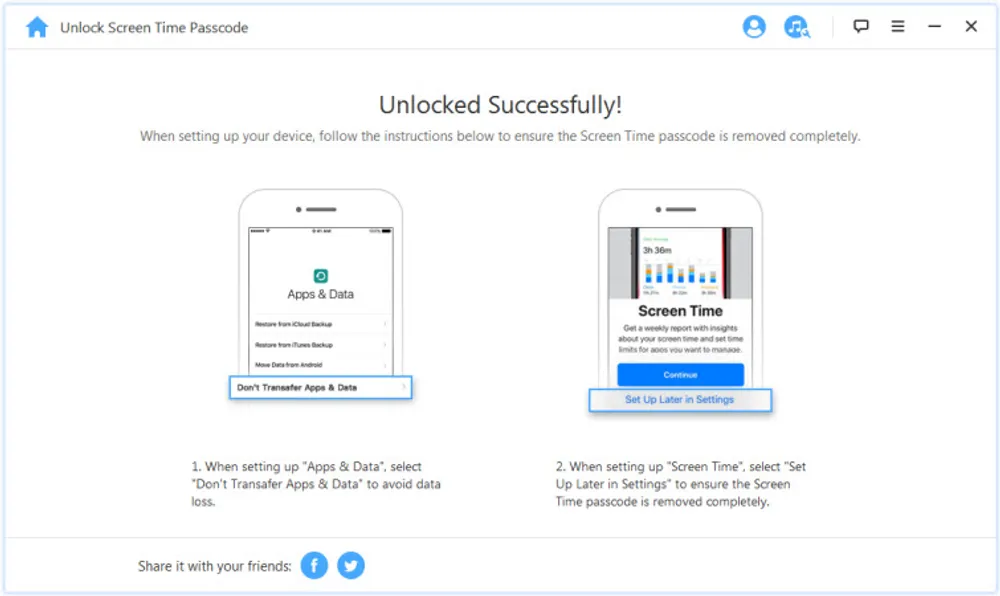
After testing this feature, I found that the process itself was simple, but the requirements are the key factor. "Set Up on This Device" requires Find My iPhone to be turned off, while "Set Up Through Family Sharing" requires Two-Factor Authentication (2FA) and an existing screen passcode.
MDM Removal is designed for iPhones and iPads managed by companies, schools, or other organizations.
When I opened this feature, LockWiper first asked me to choose the situation that matched my device. There were two supported scenarios, each designed for a different type of MDM restriction.
Situation 1: Locked Out of MDM Screen – If your device is stuck on the Remote Management screen during setup, choose Bypass MDM to continue.
Situation 2: This iPhone Is Supervised and Managed by... – If your device is already accessible but still managed by an organization, choose Remove MDM instead.
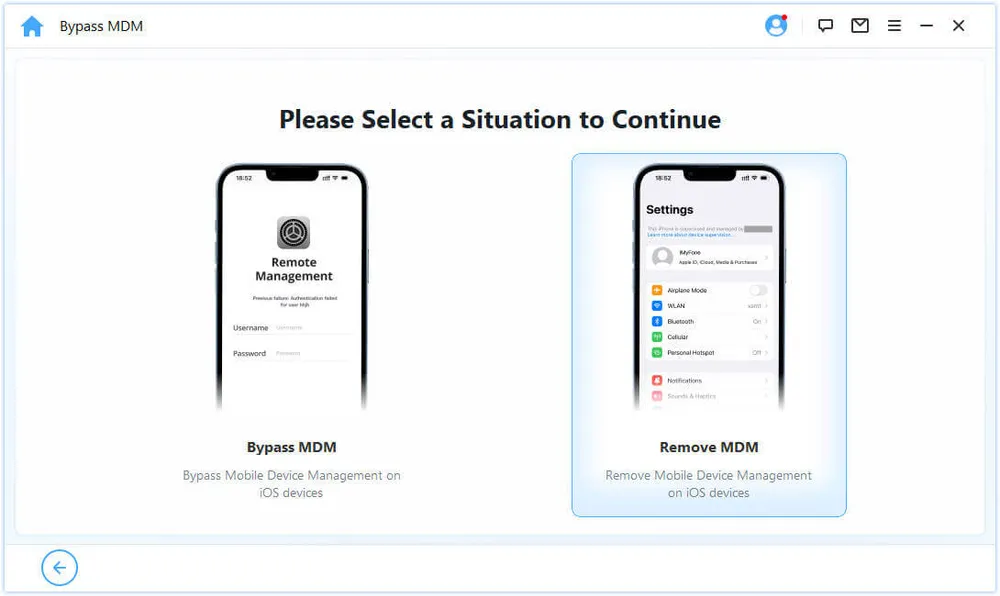
After selecting the appropriate situation, I followed the on-screen instructions to complete the process.
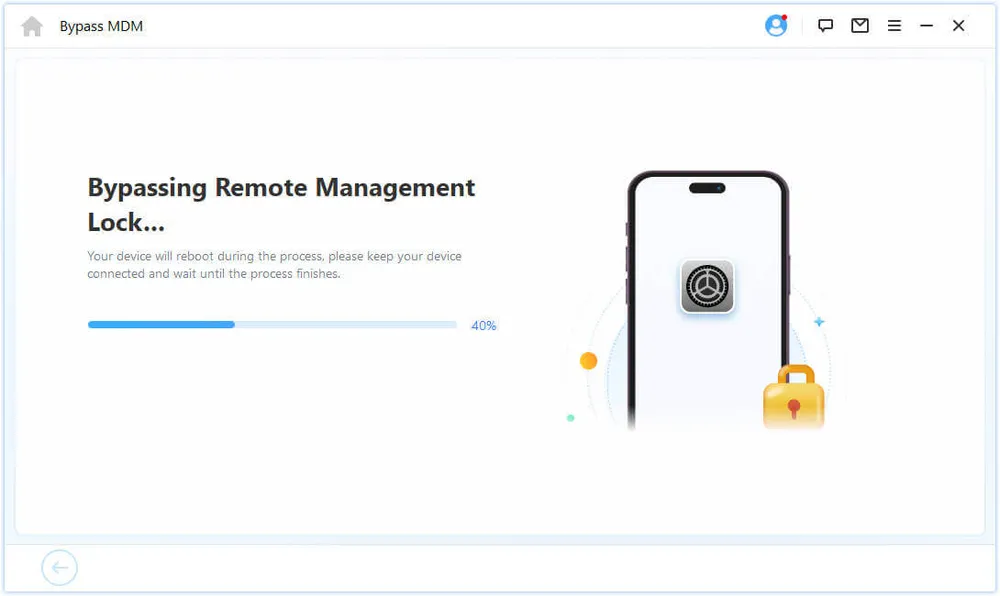
Result: The MDM profile was bypassed and the device became usable. This one comes with a caveat the others don't: the result isn't permanent. Reset the device or take it through activation again and the Remote Management screen comes back. In practice that makes MDM removal a temporary workaround rather than a fix, and restoring the device is often part of the process anyway.
Overall, I found the workflow straightforward, and the software clearly explains which option to choose based on your device's current state. As long as you select the correct scenario, the process is easy to follow.
Based on my testing, iMyFone LockWiper performs well in a few key areas.
Clear unlocking workflow The software provides guided instructions throughout the process, making features like Recovery Mode and firmware preparation easier to follow.
Multiple unlocking features LockWiper supports several common iPhone lock situations, including screen passcodes, Apple ID issues, Screen Time restrictions, and MDM removal.
Simple interface The functions are clearly separated, allowing users to quickly find the feature they need.
However, there are also some limitations to consider before using LockWiper.
Data loss during unlocking Most unlocking methods require erasing the iPhone, meaning existing data will be removed without a backup.
Limited compatibility in some situations Features like Apple ID and MDM removal depend heavily on device status, iOS version, and security settings.
Long firmware preparation time The firmware download stage can take a while, especially with larger packages or slower internet connections.
Not ideal for one-time users The pricing may feel less attractive if you only need to unlock a single device.
After testing LockWiper myself, I also checked what other users experienced with the software. Reviews on Trustpilot show a mixed picture, with feedback covering both customer support and the actual unlocking experience.
One positive review focused on the support received after encountering a problem.
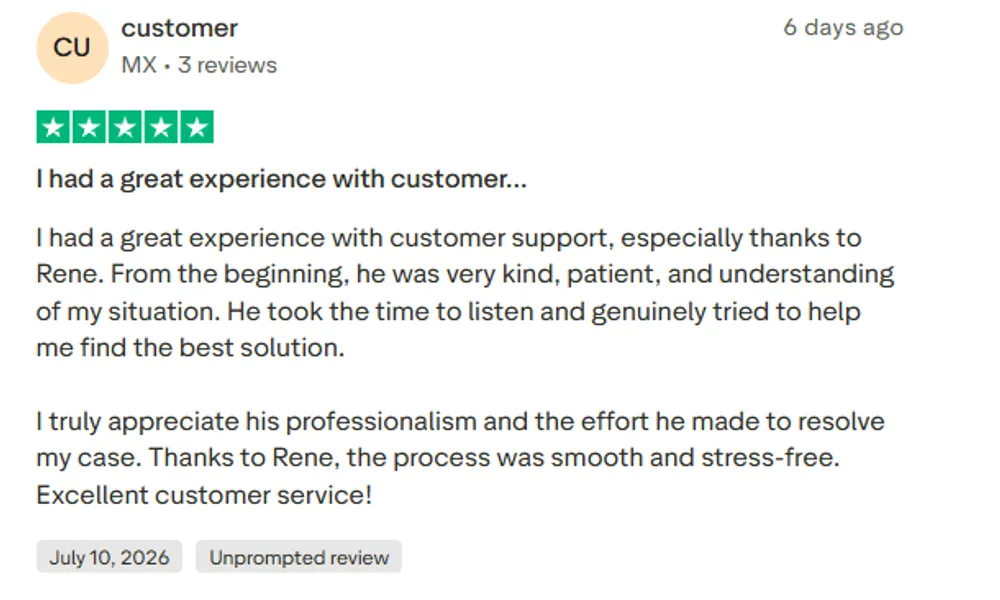
The user mentioned having a good experience with the support team, especially appreciating the patience and communication during the conversation. While this review was more about the service experience than the unlocking result, it shows that the company’s support team can be helpful when users need assistance.
However, not every experience was the same.
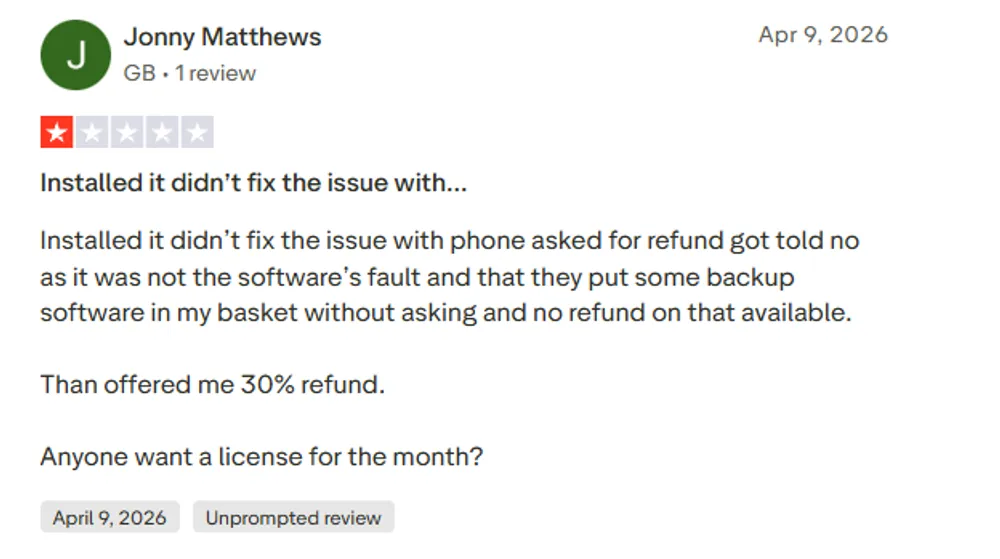
Another user reported that LockWiper did not solve their device issue as expected and also raised concerns about the refund process. This matches one limitation that appeared during my research: unlocking tools may work well in supported situations, but the result can vary depending on the device and lock type.
Before deciding whether iMyFone LockWiper is worth buying, pricing is another factor to consider. Unlike free recovery methods provided by Apple, LockWiper requires a paid license to access its unlocking features.
iMyFone offers different plans depending on how long you need the software and which device platform you use.
Plan | Price | Supported Devices |
1-Month Plan | $29.99 | 1 iOS Device |
1-Year Plan | $49.99 | 1 iOS Device |
Lifetime Plan | $59.99 | Up to 5 iOS Devices |
Prices may vary depending on promotions and the official website.
From a pricing perspective, LockWiper is positioned as a paid iPhone unlocking tool. The lifetime plan may be more suitable for users who expect to use the software multiple times.
Note: iMyFone provides a refund policy for LockWiper purchases. However, some users have mentioned that the refund process can take time and may not always result in a full refund, so it is recommended to check the refund terms before purchasing.
From my testing, LockWiper’s biggest strengths are its guided workflow and multiple unlocking options. However, users should also consider factors such as device compatibility, pricing, and whether the software supports their specific unlocking situation.
For users who need a simple way to handle common iPhone lock problems, LockWiper can be a practical option. However, those looking for a more affordable alternative or different feature priorities may want to compare it with other iPhone unlocking tools, such as Gbyte Unlock.
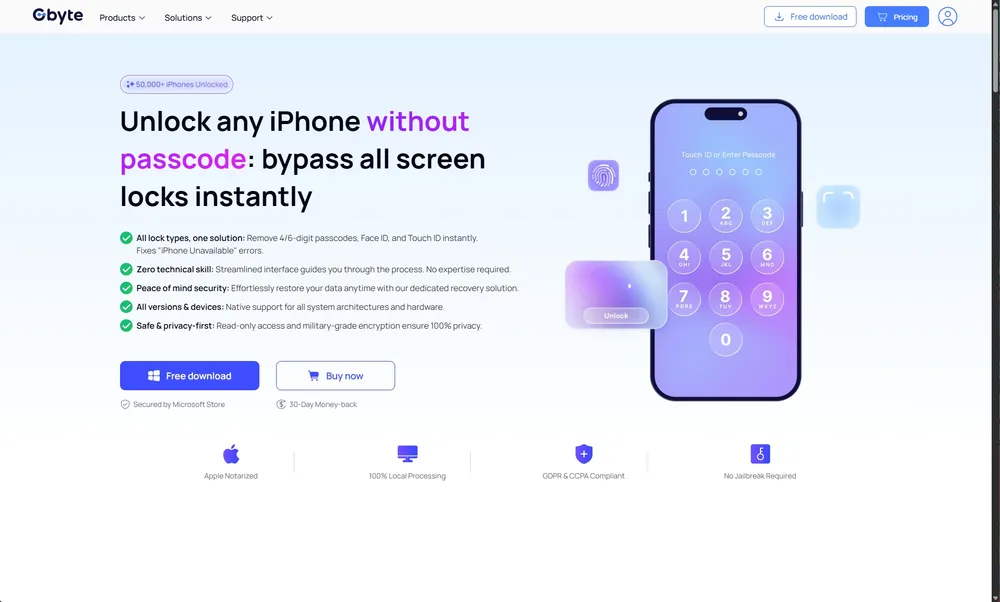
iMyFone LockWiper | Gbyte Unlock | |
Main Function | iPhone screen passcode removal | iPhone screen passcode removal |
Supported Devices | 1 iOS Device(Lifetime plan: up to 5 iOS Devices) | 🟢 5 Mobile Devices + 3 PCs |
Starting Price | $29.99 | 🟢 Starts at $25.99 |
License Options | Monthly, Yearly, Lifetime | Monthly, Yearly, Lifetime |
Best For | Users who need to handle different types of iPhone unlocking tasks regularly | 🟢 Users who mainly need screen passcode removal at a more affordable price |
Both tools target iPhone unlocking, but they focus on different user needs. LockWiper offers a wider range of unlocking features, while Gbyte Unlock focuses on screen passcode removal with a simpler approach and more affordable pricing.
For users who only need to unlock a locked iPhone screen, choosing a more specialized tool may provide better value.
After spending time testing LockWiper, my impression is that it does what it is designed to do — provide a guided way to handle common iPhone lock issues. The screen passcode removal process was the strongest part of my test, while other features came with more limitations depending on the device situation.
For users who need different unlocking functions in one tool, LockWiper can be a convenient option. But if your only goal is removing a forgotten screen passcode, paying for extra features may not always make sense. In that case, a more focused tool like Gbyte Unlock could be a better fit.
Yes, iMyFone LockWiper is generally safe when downloaded from the official website. However, some unlocking processes may erase your iPhone data, so make sure you understand the risks before using it.
Yes. iMyFone LockWiper offers a free trial, but you need a paid license to complete most unlocking tasks. It provides different plans depending on your usage needs.
Yes, in most cases. Removing a forgotten iPhone passcode requires resetting the device, which will erase all data stored on the iPhone.
Gbyte Unlock is a good alternative to iMyFone LockWiper, especially for users looking for a simple way to remove iPhone locks. It is worth comparing features, supported devices, and pricing before making a decision.
 Add Gbyte as a preferred source on Google
Share


Related articles


Copyright ©2026 Gbyte. All rights reserved. Gbyte’s software is not developed by or affiliated with Apple Inc.
The installation wizard will automatically start after downloading.
After registration, the recovery process can be managed through the web interface.
You get it all with your purchase - no locked features, no hidden limitations.