

Gbyte Unlock

Gbyte Unlock
Safely remove any iPhone/iPad screen lock in a few clicks.
 Gbyte Editorial Team
Table of contents
Quick Answer
Yes, Tenorshare 4uKey is a reliable iPhone unlocking tool, especially for removing forgotten screen passcodes. It offers a simple workflow and multiple unlocking features, but some functions have specific compatibility requirements.
Whether Tenorshare 4uKey is worth buying depends on your situation.
For users who simply forgot their iPhone passcode and don't mind erasing their device, Apple's built-in recovery mode with iTunes or Finder can already restore the device for free. In this case, paying for 4uKey may not be necessary.
Where 4uKey becomes more useful is for users who want a simpler guided process, prefer not to deal with manual recovery steps, or need additional unlocking features beyond Apple's standard recovery options, such as Screen Time removal or MDM-related functions.
In other words, 4uKey is not a replacement for Apple's free recovery tools—it is mainly designed for users who value convenience, need extra unlocking scenarios, or want an easier all-in-one solution.

Pros

Cons
Tenorshare 4uKey is an iPhone unlocking tool for Windows and macOS that helps users remove various types of iPhone locks, including screen passcodes, Apple IDs, MDM restrictions, Screen Time passcodes, and iCloud Activation Lock (on supported devices and in supported scenarios). It's designed for users who need to regain access to an iPhone without advanced technical knowledge.
Rather than relying solely on Tenorshare's official claims, we tested the software ourselves to evaluate its ease of use, unlocking success, speed, and real-world performance. In the following sections, we'll compare what 4uKey promises with what we actually found during hands-on testing.
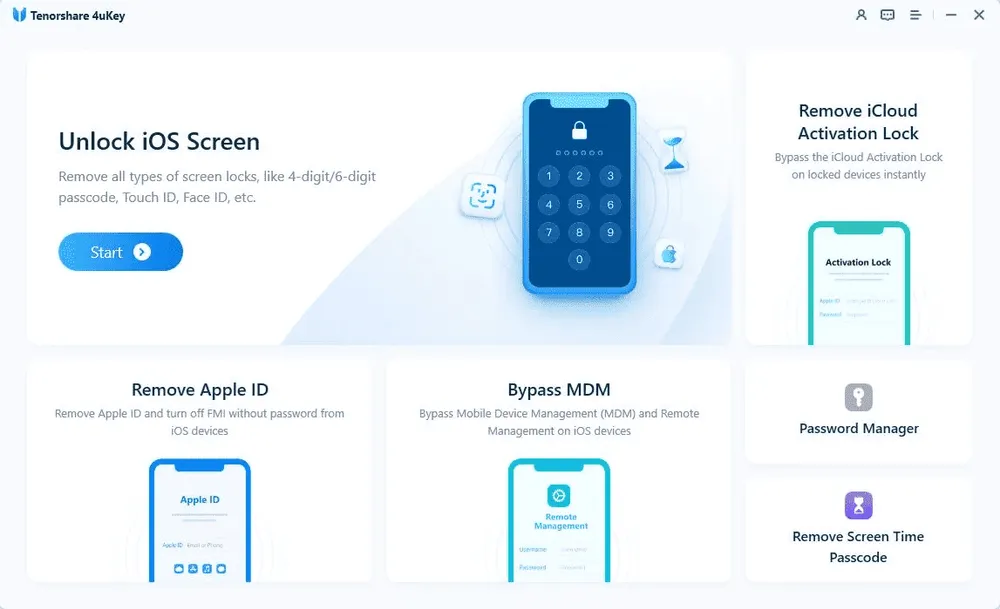
Tenorshare 4uKey is built to solve several common iPhone lock issues. According to the official website, it supports these scenarios:
Removing a forgotten screen passcode
Removing an Apple ID from supported devices
Bypassing Mobile Device Management (MDM)
Removing a Screen Time passcode
While these features sound straightforward, they don't all work in the same way. Some functions have additional requirements, while others will erase all data on your device. We'll explain these differences later when we compare the official claims with our testing results.
4uKey supports most modern iPhone and iPad models and works on both Windows and macOS. The software is also updated regularly to support newer iOS releases.
That said, compatibility with a device doesn't always mean every feature will work—some unlocking functions have additional requirements. We tested the software ourselves to see how it performs in real scenarios, and we'll cover the limitations of each feature later in this review.
We tested Tenorshare 4uKey using a passcode-locked iPhone to evaluate how it performs in real-world use. Instead of focusing only on whether the unlock was successful, we also looked at ease of use, speed, stability, and the overall user experience.
Tenorshare 4uKey does not crack or reveal a forgotten iPhone passcode. Instead, it removes the lock by restoring the device through Apple's recovery mechanism.
When an iPhone is locked, 4uKey guides the device into Recovery Mode or DFU Mode and reinstalls the iOS firmware. This process removes the existing screen passcode and restores the iPhone to a setup state.
Because this method relies on device restoration rather than bypassing Apple's security system, all existing data on the iPhone will be erased. Users can only recover their files if they have a previous backup available.
We tested the latest version of Tenorshare 4uKey on a Windows PC using an iPhone with different unlocking scenarios, including a forgotten screen passcode scenario for the hands-on test and other feature evaluations based on their supported conditions.
Test Environment | Details |
Device | iPhone 17 |
iOS Version | iOS 26.5 |
Computer | Windows 11 |
Unlock Type | Screen Passcode Removal,Apple ID Removal, MDM Bypass, Screen Time Removal |
4uKey Version | Tenorshare 4uKey v3.10.1 |
Test Date | July 2026 |
Internet Connection | Stable Wi-Fi connection |
We followed the standard unlocking workflow provided by Tenorshare 4uKey. The entire process took about 15–20 minutes, including device detection, Recovery Mode entry, firmware download, and system restoration.
We connected the locked iPhone to a Windows PC using an Apple-certified USB data cable. The device was not detected immediately during our first attempt, but after reconnecting the cable, 4uKey successfully recognized the iPhone and provided the next steps.
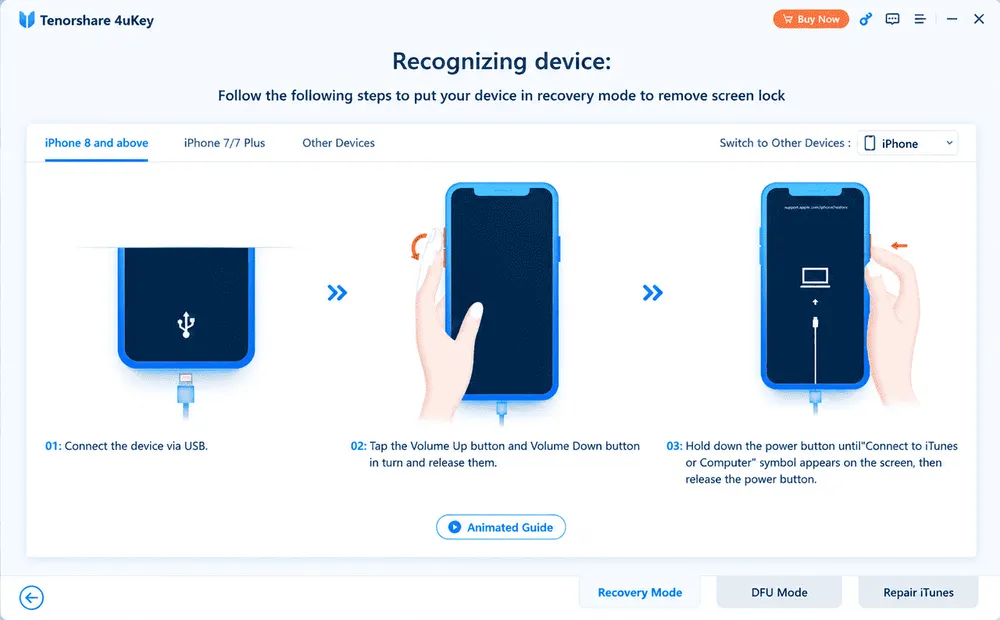
Since the iPhone was locked and the passcode was unavailable, 4uKey guided us into Recovery Mode.
The software provided on-screen instructions, making it unnecessary to manually search for the correct button combination.
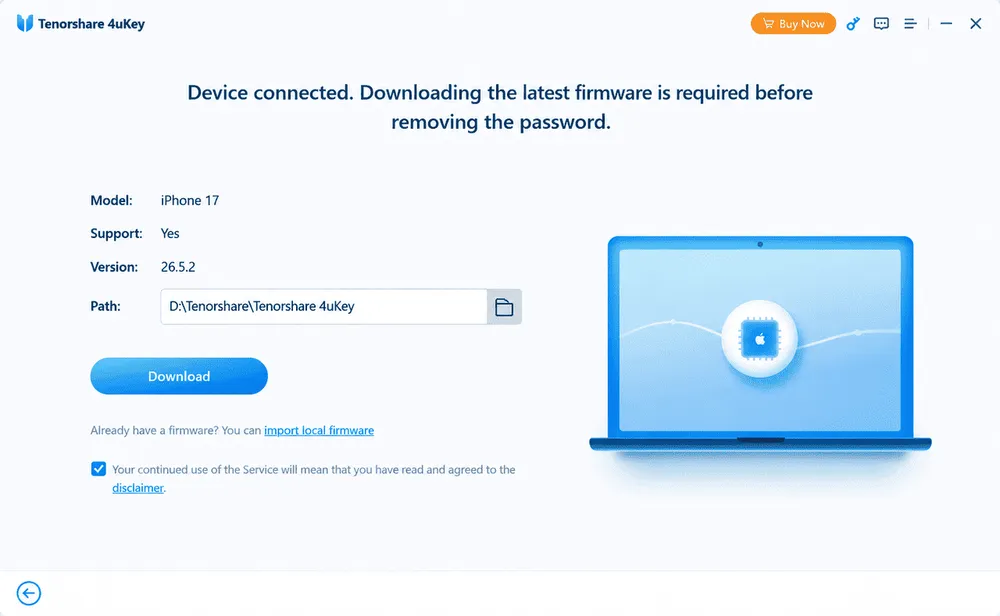
After detecting the device model, 4uKey automatically matched the corresponding firmware package. We clicked Download and waited for the firmware to complete. In our test environment, this step took around 7–8 minutes, making it the most time-consuming part of the process before unlocking could begin.
It is worth noting that the firmware package requires a significant amount of free storage space. The download file occupied approximately 9 GB of disk space during our test, so users should make sure their computer has enough available storage before starting the process.
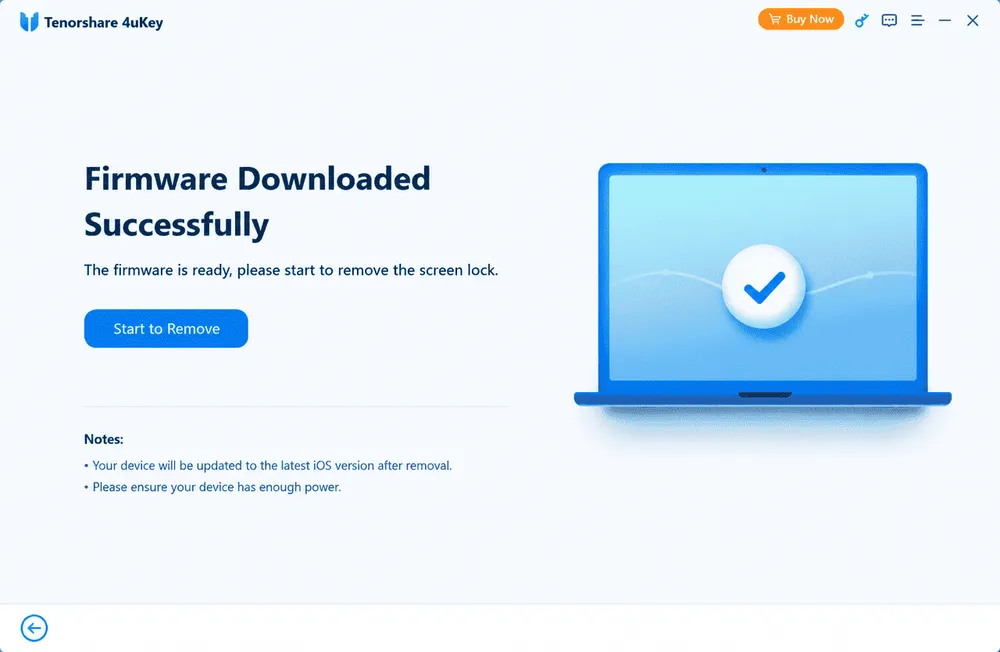
Once the firmware package was ready, we clicked Start Remove to begin the unlocking process.
4uKey reinstalled the iOS firmware and removed the existing screen passcode during the restoration process.
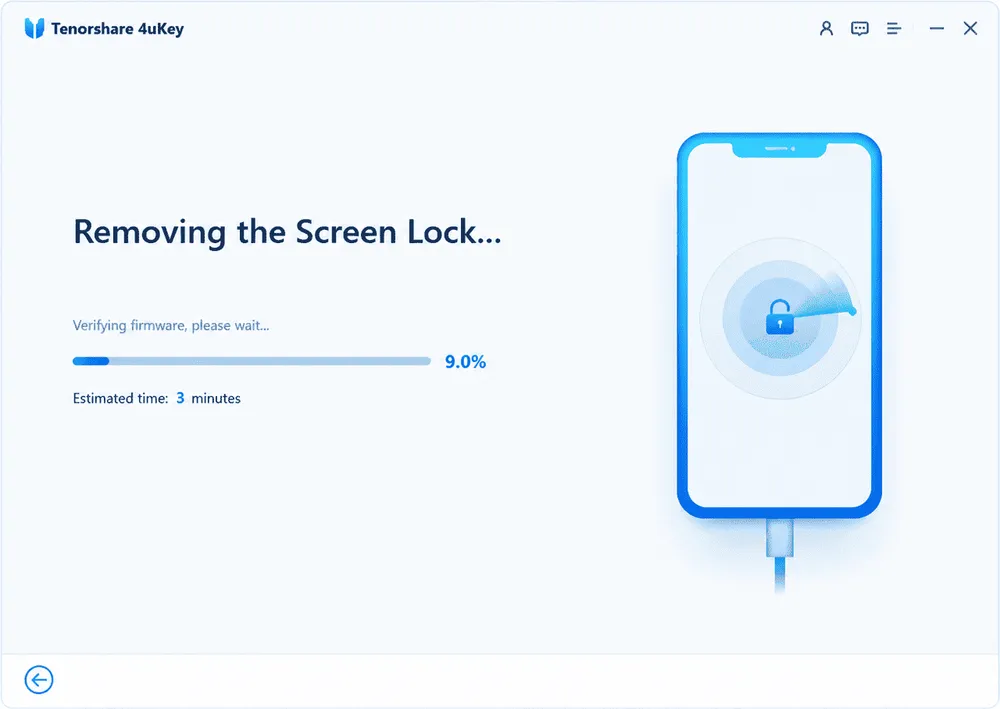
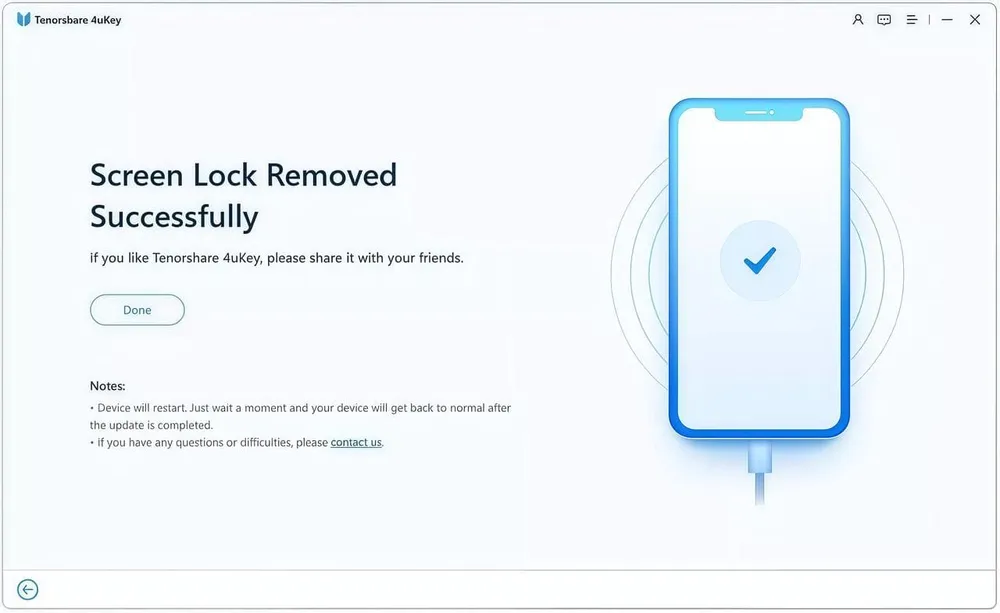
After the process finished, the iPhone restarted and returned to the setup screen.
The previous screen passcode was removed successfully, but all existing data on the device was erased.
If a backup was available, the device could be restored through iCloud or a computer backup.
Easy installation with no additional setup required.
Clear on-screen instructions throughout the process.
Stable performance with no crashes issues during testing.
Firmware download added extra waiting time.
Some feature limitations only became clear after entering the workflow.
Advanced features require checking compatibility before purchase.
Tenorshare 4uKey offers several unlocking features, but each feature comes with different requirements and limitations. We tested the main functions and compared Tenorshare's claims with our actual experience.
Feature | Official Claim | Our Testing Result | Verdict |
🔓 Screen Passcode Removal | Remove iPhone screen locks including passcodes, Face ID, and Touch ID | Successfully removed the screen passcode in our test | ✅ Recommended |
👤 Apple ID Removal | Remove Apple ID from supported devices | Removed the account successfully, but only on a device we could already unlock; erases the device | ⚠️ Check compatibility |
🏢 MDM Bypass | Remove MDM restrictions without administrator credentials | Works for supported managed devices, but mainly useful for specific users | ⚠️ Temporary result |
⏱️ Screen Time Passcode Removal | Remove Screen Time restrictions without password | Cleared successfully; requires erasing the device | ✅ Recommended |
Tenorshare 4uKey's main purpose is removing forgotten iPhone screen locks, and this was also the strongest-performing feature in our test.
During testing, the software detected our locked iPhone, guided us through Recovery Mode, downloaded the required firmware, and completed the unlock process successfully.
The biggest limitation is that removing the screen passcode requires erasing the device. This follows Apple's security mechanism and means users cannot keep existing data unless they have a previous backup.
Our result: The previous screen passcode was removed successfully, but all existing data on the device was erased.
Tenorshare claims that 4uKey can remove Apple ID from supported iPhones and iPads without requiring the original account password.
However, Apple ID removal is not available in every situation. The feature depends on factors such as the device status, iOS version, and whether Find My iPhone is enabled. Users should check Tenorshare's official requirements before purchasing.
It is also important to note that Apple ID removal is different from iCloud Activation Lock bypass. Removing an Apple ID from a device does not mean bypassing Activation Lock.
Our result: The Apple ID was removed from the device. Two things are worth knowing before you try this. It only works on an iPhone you can already unlock and use — it's not a way into a locked second-hand device. And the process erases the device, so anything on it goes unless you have a backup.
4uKey includes an MDM bypass feature designed for removing management restrictions from supported devices.
In our evaluation, this feature appears useful for users dealing with company-managed or school-managed devices, but it is not a solution for every MDM-related situation. The available results depend on the device condition, iOS version, and the specific restrictions applied.
Our result: The MDM profile was bypassed and the device became usable. This one comes with a caveat the others don't — the result isn't permanent. Reset the device or take it through activation again and the Remote Management screen comes back. In practice that makes MDM bypass a temporary workaround rather than a fix.
Screen Time passcode removal is one of the simpler features included in 4uKey.
The workflow requires minimal manual input, and the software provides clear instructions throughout the process. However, like other unlocking features, compatibility depends on the supported device models and iOS versions.
Our result: Simple workflow and worked as expected in supported scenarios
Our hands-on testing represents one experience, but user feedback can reveal issues that only appear across different devices and situations. We reviewed discussions from Reddit and customer reviews on Trustpilot to understand how 4uKey performs in real-world scenarios.
Overall, users generally agree that 4uKey is easy to use for supported unlocking tasks. However, negative feedback mainly focuses on compatibility expectations, refunds, and subscription concerns.
Many positive reviews mention that 4uKey is easy to navigate, especially for users without technical experience. Users appreciate the step-by-step instructions and simple interface.
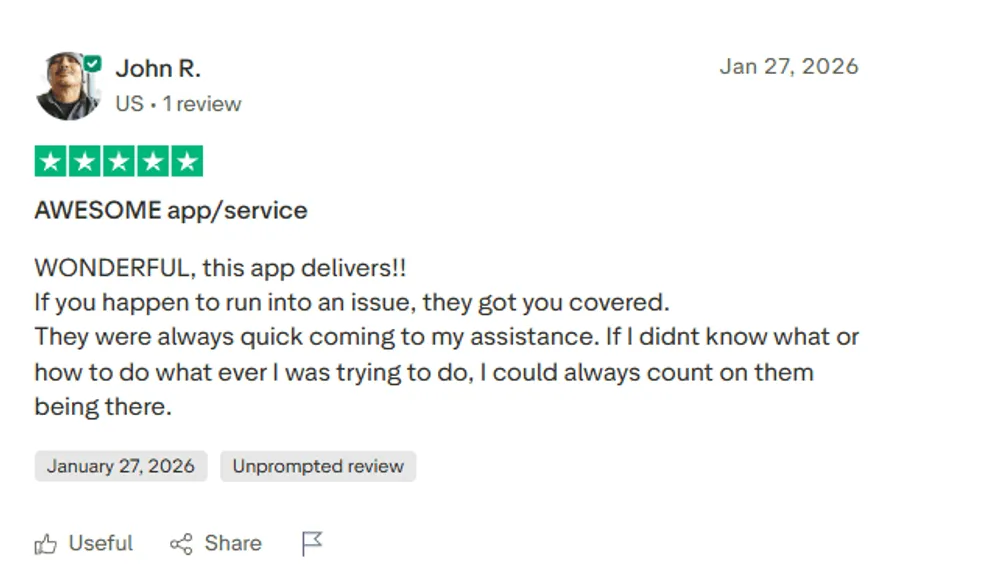
Users who successfully unlocked their devices often mention screen passcode removal as the feature that worked best.
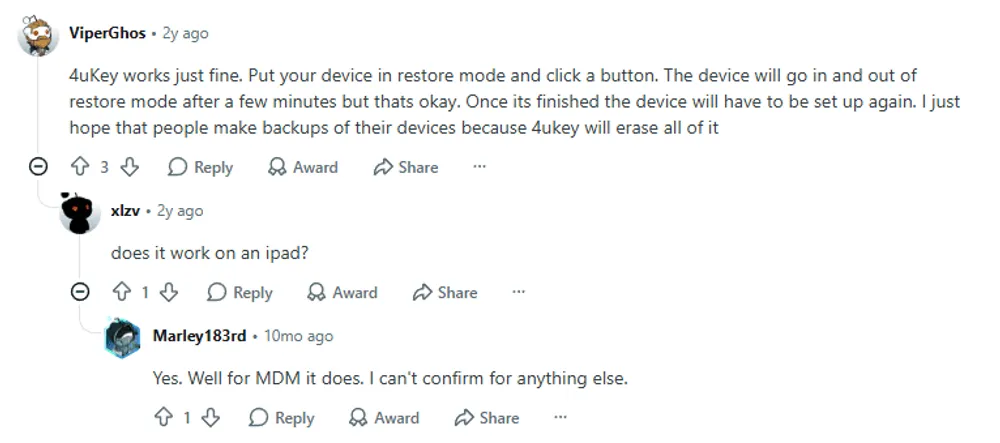
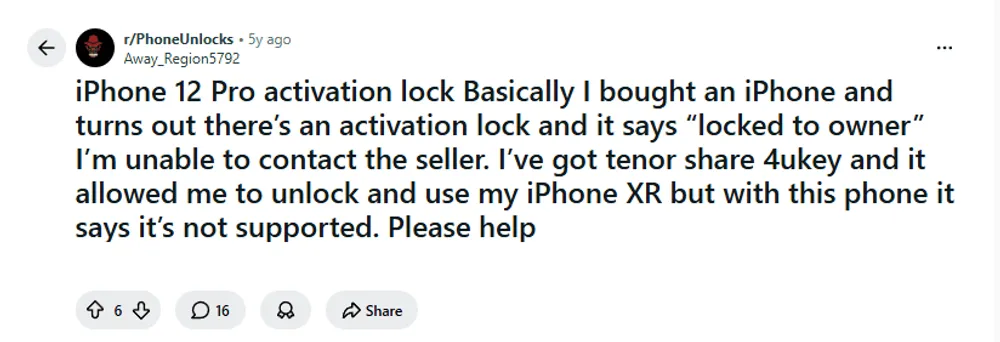
In Reddit discussions, some users reported successfully removing forgotten screen locks. However, results vary depending on device model and unlocking conditions.
The most common negative feedback is not about the software interface, but about users discovering that their specific device or unlocking scenario is not supported.
Some users have reported that 4uKey may work for certain iPhone models but fail in other lock scenarios, highlighting that compatibility depends not only on the device model but also on the type of lock.
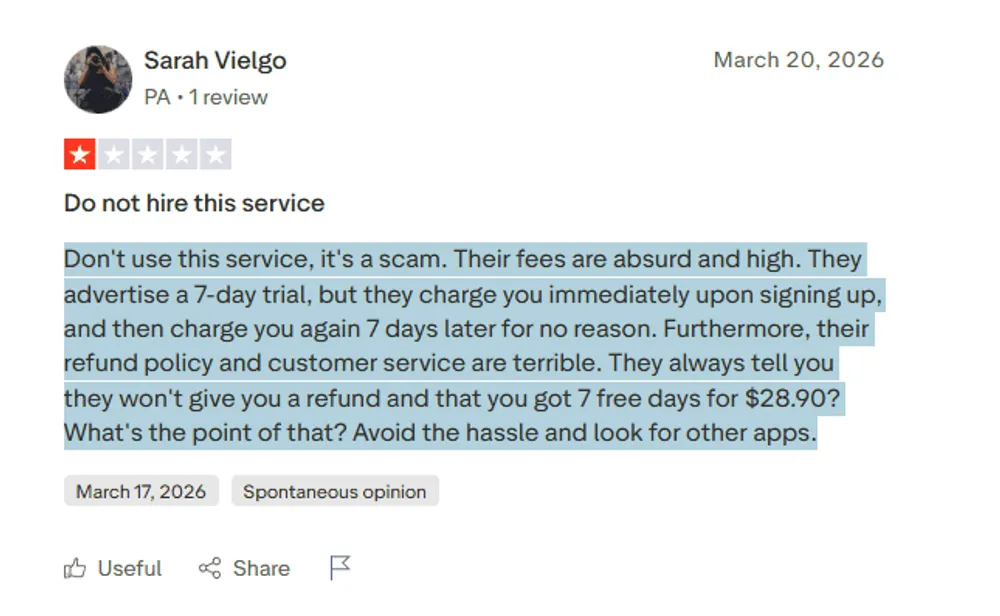
Some Trustpilot reviewers expressed frustration with refund requests and subscription-related issues. These complaints vary by individual situation, while other users reported positive experiences with customer support.
Whether Tenorshare 4uKey is worth buying depends entirely on your unlocking goal.
If your goal is to remove a forgotten iPhone passcode, 4uKey performs well and offers a smooth user experience. For this scenario, we recommend it. However, if you're purchasing it for features with stricter limitations—such as Apple ID removal or Activation Lock-related scenarios—the value is far less certain, and you'll need to check compatibility carefully before paying.
Below, we break down the free version, the pricing, and—most importantly—who should buy it.
Tenorshare 4uKey offers a free trial, but it does not provide free unlocking.
With the free version, users can:
Install the software
Connect their device
Check compatibility
Explore available features
However, completing any unlocking process requires a paid license.
In other words, the free version lets you test compatibility, but it won't unlock your device.
Our Take:
The free trial is useful for checking whether your device is supported, but don't expect it to complete any unlocking tasks.
Tenorshare 4uKey offers several license options, including monthly, yearly, and lifetime plans. The best choice depends on whether you need a one-time unlock or expect to use the software multiple times.
Plan | Price | Devices | Validity | Best For |
1-Month License | 35.95$ | 3 PC / 5 Devices | 1 Month | One-time use |
1-Year License | 59.95$ | 3 PC / 5 Devices | 1 Year | Frequent users |
Lifetime License | 75.95$ | 3 PC / 5 Devices | Lifetime | Long-term use |
Note: Compared with one-time unlocking tools, 4uKey's subscription model may be less attractive for users who only need to unlock a single device.
Tenorshare offers a 30-day money-back guarantee, but refunds are subject to certain conditions. Users may need to contact support, provide troubleshooting information, and confirm that the issue cannot be resolved before a refund is considered.
Tenorshare 4uKey is a capable choice for users who need multiple unlocking features in one application. Its all-in-one approach makes it convenient for people who regularly deal with different types of iPhone lock issues.
However, if your only goal is to solve one specific unlocking problem, a larger toolkit may not always provide the best value. In this case, a more focused solution that covers your specific needs without unnecessary features may be worth considering.
Tenorshare 4uKey is a capable iPhone unlocking tool, especially for users who need multiple unlocking features in one package. However, not every user needs a complete toolkit.
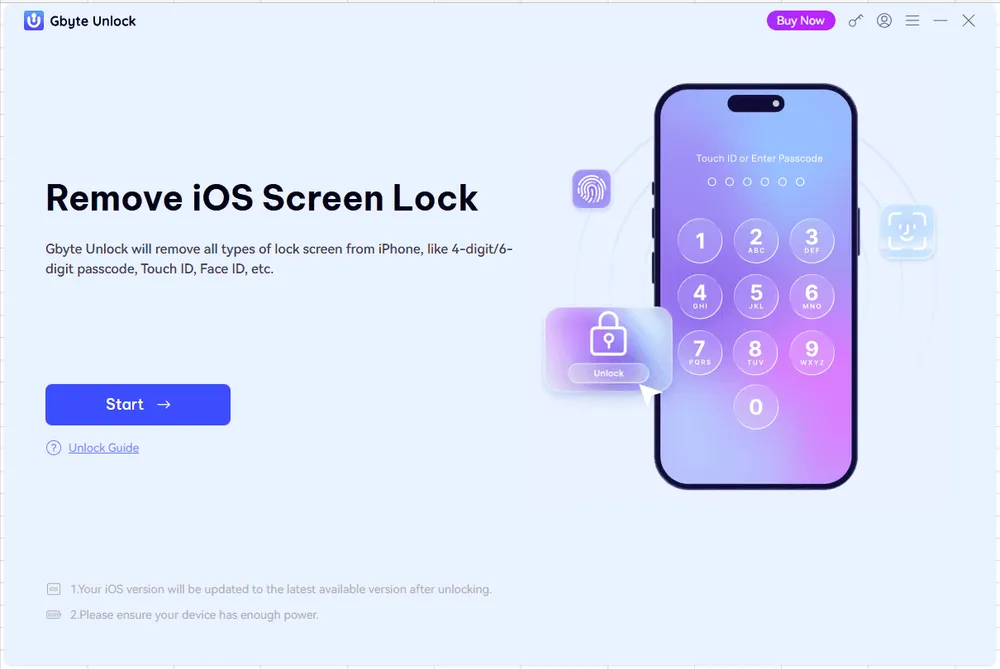
Gbyte Unlock takes a different approach by focusing on the core unlocking features most users actually need. For users who only want to solve a specific problem—such as removing a forgotten screen passcode—it offers a simpler and more affordable option.
Comparison Table
Comparison | 🟢 Gbyte Unlock | 🔵 Tenorshare 4uKey |
🔓 Screen Passcode Removal | ✅ | ✅ |
💰 Starting Price | From $25.99 | From $35.95 |
💵 Potential Savings | Save up to $9.96 | — |
🎯 Product Focus | Dedicated screen unlock solution | All-in-one unlocking toolkit |
💳 Pay for Unused Features | No | Possible |
📱 Latest iPhone & iOS Support | Supports the latest compatible devices and iOS versions | Supported through product updates |
One of Gbyte Unlock's biggest advantages is its lower entry price. If you only need to unlock one or two devices, paying for a larger software suite may not provide the best value. Gbyte Unlock focuses on delivering the core unlocking features most users need while keeping the cost lower.
Many users don't need every unlocking function included in an all-in-one toolkit. Instead, they simply want to remove a forgotten screen passcode or solve one specific issue.
Gbyte Unlock is designed around this idea. Rather than paying for a collection of features you may never use, you get a more focused solution that matches common unlocking needs.
Because Gbyte Unlock concentrates on fewer core functions, the interface is straightforward and easy to navigate. First-time users can quickly find the feature they need without sorting through unnecessary tools.
For users who regularly deal with different unlocking scenarios, having multiple tools—including Screen Passcode Removal, Apple ID-related functions, MDM bypass, and Screen Time removal—in one application can be more convenient.
Choose based on your specific unlocking needs, not on total feature count.
The table below provides a quick way to decide which tool is a better fit for your situation.
Your Priority | Better Choice |
💰 Lowest price | 🟢 Gbyte Unlock |
🎯 Only need one unlocking function | 🟢 Gbyte Unlock |
📱 Unlock your personal iPhone | 🟢 Gbyte Unlock |
🧰 Need multiple unlocking tools | 🔵 Tenorshare 4uKey |
🔄 Handle different device issues frequently | 🔵 Tenorshare 4uKey |
If your primary goal is simply to remove a forgotten screen passcode, Gbyte Unlock is the more cost-effective choice—it focuses on exactly what you need without the extra features that some users may not need. On the other hand, if you regularly handle multiple unlocking scenarios and prefer having an all-in-one toolkit at your disposal, Tenorshare 4uKey is worth the additional investment.
Yes. In our testing, Tenorshare 4uKey successfully removed an iPhone screen passcode. However, results for features like Apple ID removal depend on your device model, iOS version, and other conditions. Always check compatibility before purchasing.
Yes. When downloaded from the official website, 4uKey is generally safe to use. Like most iPhone unlocking tools, some features may erase your data, so backing up your device beforehand is recommended.
No. 4uKey offers a free trial that lets you check device compatibility, but you'll need a paid license to complete the unlocking process.
Yes, in most cases. Removing an iPhone screen passcode requires reinstalling the system firmware, which erases the device. If you have an iCloud or computer backup, you can restore your data afterward.
Usually, yes. Tenorshare regularly updates 4uKey to support new iPhone models and iOS versions, although support for the latest release may not be available immediately. Check the official compatibility page for the most up-to-date information.
If your only goal is screen passcode removal, Gbyte Unlock is worth comparing. It offers a lower entry price and a narrower feature set—which can be an advantage if you don't need the extra tools 4uKey includes.
Yes. Apple provides a free recovery method using Recovery Mode and Finder/iTunes. However, this process will erase all data on the device. If you prefer a more guided unlocking process, a tool like 4uKey may be more convenient.
 Add Gbyte as a preferred source on Google
Share


Related articles


Copyright ©2026 Gbyte. All rights reserved. Gbyte’s software is not developed by or affiliated with Apple Inc.
The installation wizard will automatically start after downloading.
After registration, the recovery process can be managed through the web interface.
You get it all with your purchase - no locked features, no hidden limitations.