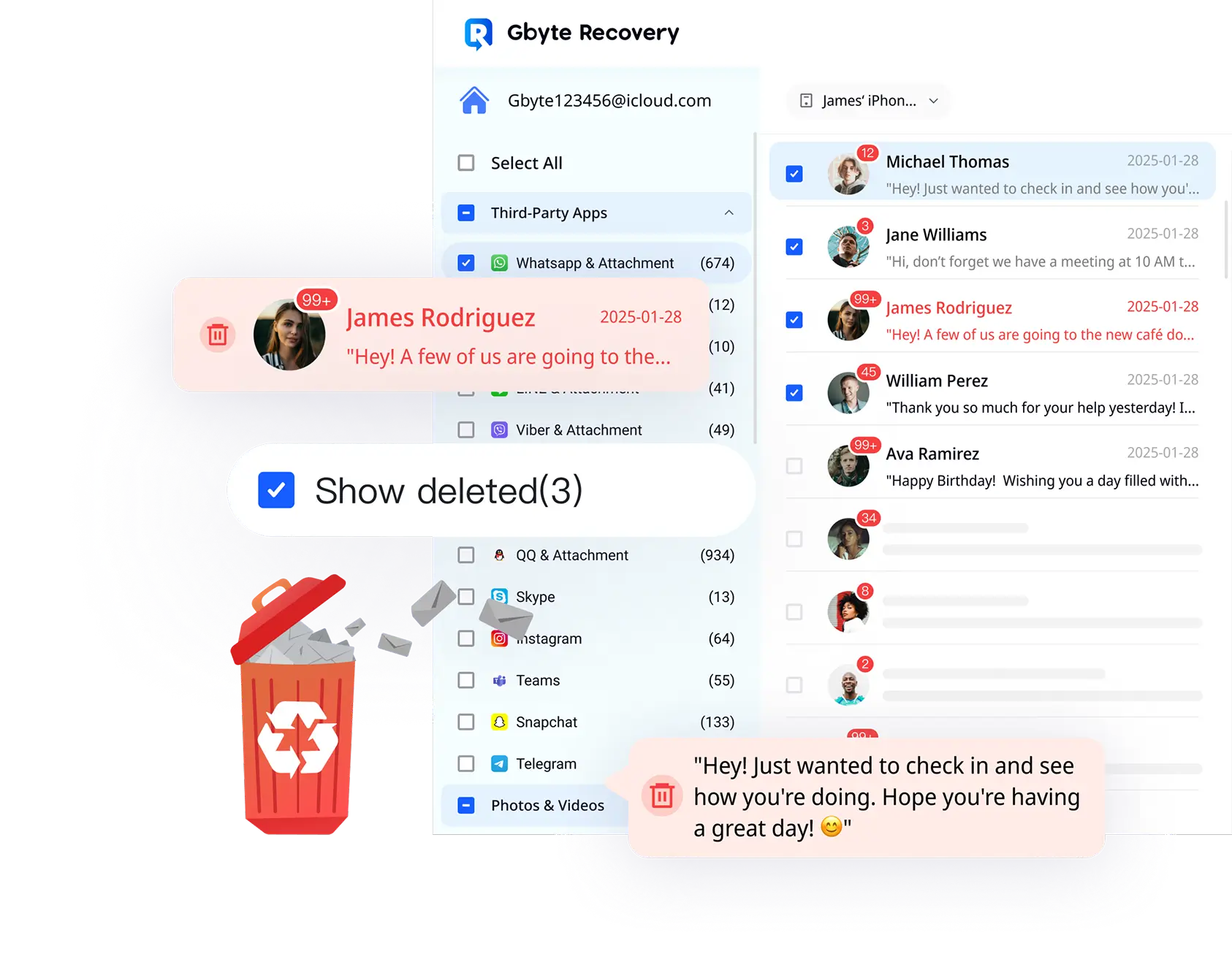
Title: 최고의 WhatsApp 복구 소프트웨어 - 백업 필요 없음 | Gbyte URL Source: https://recovery-next-web.pages.dev/kr/features/whatsapp-recovery Markdown Content: # 최고의 WhatsApp 복구 소프트웨어 - 백업 필요 없음 | Gbyte [![Image 11: Gbyte Logo](https://recovery-next-web.pages.dev/logo.svg)](https://www.gbyte.com/kr) 분실된 데이터 스캔 제품 ![Image 12: 데이터 복구](https://recovery-next-web.pages.dev/images/gbyteNew/recoverydeep.svg) 데이터 복구 * [iPhone 데이터 복구](https://recovery-next-web.pages.dev/kr/iphone-data-recovery) * [iCloud 데이터 복구](https://recovery-next-web.pages.dev/kr/icloud-data-recovery) ![Image 13: 시스템 복구](https://recovery-next-web.pages.dev/images/gbyteNew/repairdeep.svg) 시스템 복구 * [iOS 시스템 복구](https://recovery-next-web.pages.dev/kr/ios-system-repair) ![Image 14: 화면 잠금 해제](https://recovery-next-web.pages.dev/images/gbyteNew/unlockdeep.svg) 화면 잠금 해제 * [iPhone 잠금 해제](https://recovery-next-web.pages.dev/kr/iphone-unlock) ![Image 15: 데이터 전송](https://recovery-next-web.pages.dev/images/gbyteNew/transferdeep.svg) 데이터 전송 * [iPhone 전송 (출시 예정)](https://recovery-next-web.pages.dev/kr#) ![Image 16: 휴대폰 백업](https://recovery-next-web.pages.dev/images/gbyteNew/backupdeep.svg) 휴대폰 백업 * [iPhone 백업 (출시 예정)](https://recovery-next-web.pages.dev/kr#) * [iPhone 백업 뷰어 (출시 예정)](https://recovery-next-web.pages.dev/kr#) 솔루션 ![Image 17: 데이터 복구](https://recovery-next-web.pages.dev/images/gbyteNew/recoverydeep.svg) 데이터 복구 * [사진 및 비디오](https://recovery-next-web.pages.dev/kr/features/iphone-photo-recovery) * [메시지](https://recovery-next-web.pages.dev/kr/features/iphone-messages-recovery) * [WhatsApp 및 WhatsApp Business](https://recovery-next-web.pages.dev/kr/features/whatsapp-recovery) * [메신저](https://recovery-next-web.pages.dev/kr/features/messenger-recovery) * [LINE](https://recovery-next-web.pages.dev/kr/features/line-recovery) 지원 [![Image 18: 가이드](https://recovery-next-web.pages.dev/images/gbyteNew/guide.svg) 가이드 단계별 튜토리얼](https://recovery-next-web.pages.dev/kr/guide)[![Image 19: 블로그](https://recovery-next-web.pages.dev/images/gbyteNew/blog.svg) 블로그 일반적인 iPhone 문제 해결](https://recovery-next-web.pages.dev/kr/blog)[![Image 20: 자주 묻는 질문](https://recovery-next-web.pages.dev/images/gbyteNew/faqs.svg) 자주 묻는 질문 제품에 대한 정보](https://recovery-next-web.pages.dev/kr/faq) [![Image 21: download](https://recovery-next-web.pages.dev/images/photo/downMacOSBlue.svg) 무료 다운로드](https://download.gbyte.com/downloads/mac/intel/gbyte-recovery-ios.dmg)[![Image 22: cart](https://recovery-next-web.pages.dev/images/navigation/cart.svg)가격](https://recovery-next-web.pages.dev/kr/pricing/ios-data-recovery) [로그인](https://recovery-next-web.pages.dev/kr/login) ![Image 23: bannerNew](https://recovery-next-web.pages.dev/images/product-functional/whatsapp/bannerNew.webp) # iOS 기기를 위한 WhatsApp 채팅 복구 * iPhone과 iPad에서 삭제된 WhatsApp 메시지를 복구하세요. 텍스트, 사진, 비디오, 음성 메시지 및 기타 첨부 파일을 포함합니다. * 복구 전 모든 복구 가능한 데이터를 무료로 미리보세요. * 기존 콘텐츠를 덮어쓰거나 지울 위험 없이 데이터를 선택적으로 복원하세요. * 인상적인 98.3% 복구 성공률로 깊고 빠른 스캐닝. [![Image 24: download](https://recovery-next-web.pages.dev/images/navigation/downMacWhite.svg)무료 다운로드 Intel](https://download.gbyte.com/downloads/mac/intel/gbyte-recovery-ios.dmg)[가격 플랜 선택](https://recovery-next-web.pages.dev/kr/pricing/ios-data-recovery) 최고의 기관들이 신뢰합니다 ![Image 25: tech-times](https://recovery-next-web.pages.dev/images/logos/tech-times-white.webp) ![Image 26: techradar](https://recovery-next-web.pages.dev/images/logos/techradar-white.webp) ![Image 27: igeeksblog](https://recovery-next-web.pages.dev/images/logos/igeeksblog-white.webp) ![Image 28: pocket-lint](https://recovery-next-web.pages.dev/images/logos/pocket-lint-white.webp) ![Image 29: topten-reviews](https://recovery-next-web.pages.dev/images/logos/topten-reviews-white.webp) ## 모든 상황에서 모든 유형의 WhatsApp 데이터 복구 모든 데이터 유형이 포함됩니다. Gbyte Recovery는 채팅, 사진, 비디오, 음성 메시지, 문서, 심지어 삭제된 통화 기록까지 WhatsApp의 모든 것을 복원합니다. ![Image 30: 메시지](https://recovery-next-web.pages.dev/images/product-functional/whatsapp/condition/chat-bubble-text-square.svg) 메시지 ![Image 31: 오디오](https://recovery-next-web.pages.dev/images/product-functional/whatsapp/condition/music-note.svg) 오디오 ![Image 32: 비디오](https://recovery-next-web.pages.dev/images/product-functional/whatsapp/condition/live-video.svg) 비디오 ![Image 33: 사진](https://recovery-next-web.pages.dev/images/product-functional/whatsapp/condition/pictures-folder-memories.svg) 사진 ![Image 34: 음성](https://recovery-next-web.pages.dev/images/product-functional/whatsapp/condition/voice-mail.svg) 음성 ![Image 35: 문서](https://recovery-next-web.pages.dev/images/product-functional/whatsapp/condition/new-folder.svg) 문서 ![Image 36: 상태](https://recovery-next-web.pages.dev/images/product-functional/whatsapp/condition/mail-send-email-message.svg) 상태 ![Image 37: 연락처](https://recovery-next-web.pages.dev/images/product-functional/whatsapp/condition/contact-phone-book.svg) 연락처 ![Image 38: 삭제](https://recovery-next-web.pages.dev/images/product-functional/whatsapp/condition/recycle-bin.svg) 삭제 ![Image 39: 시스템 문제](https://recovery-next-web.pages.dev/images/product-functional/whatsapp/condition/threat-browser.svg) 시스템 문제 ![Image 40: 공장 초기화](https://recovery-next-web.pages.dev/images/product-functional/whatsapp/condition/fast-forward-clock.svg) 공장 초기화 ![Image 41: 탈옥](https://recovery-next-web.pages.dev/images/product-functional/whatsapp/condition/key.svg) 탈옥 ![Image 42: 기기 파손](https://recovery-next-web.pages.dev/images/product-functional/whatsapp/condition/local-storage-folder.svg) 기기 파손 ![Image 43: 기기 분실](https://recovery-next-web.pages.dev/images/product-functional/whatsapp/condition/notification-message-alert.svg) 기기 분실 모든 상황을 처리할 수 있습니다. 실수로 채팅을 삭제했든, WhatsApp을 재설치했든, 휴대폰 충돌이나 재설정으로 데이터를 잃었든, Gbyte는 어떤 상황에서도 귀하의 WhatsApp을 복구합니다. 백업이 없나요? 문제 없습니다. ## Gbyte는 백업 없이 모든 것을 복구합니다. [![Image 44: download](https://recovery-next-web.pages.dev/images/navigation/downMacWhite.svg)지금 사용해보기](https://download.gbyte.com/downloads/mac/intel/gbyte-recovery-ios.dmg) ![Image 45: img](https://recovery-next-web.pages.dev/images/product-functional/whatsapp/introduction-1.webp) 귀하의 데이터, 귀하의 선택. ## 추억을 휴대폰이나 PC로 복원하세요. [![Image 46: download](https://recovery-next-web.pages.dev/images/navigation/downMacWhite.svg)지금 사용해보기](https://download.gbyte.com/downloads/mac/intel/gbyte-recovery-ios.dmg) ![Image 47: img](https://recovery-next-web.pages.dev/images/product-functional/whatsapp/introduction-2.webp) ![Image 48: img](https://recovery-next-web.pages.dev/images/product-functional/whatsapp/main-whatsapp-business.webp) ## Gbyte는 WhatsApp Business를 지원합니다 고객 주문을 잃어버리셨나요? Gbyte는 WhatsApp Business 채팅이 사라지는 것을 절대 허용하지 않습니다! 어떤 기기에서도 메시지, 주문 및 대화를 즉시 복구합니다. 데이터 혼란 없이 비즈니스를 계속 운영하세요! ![Image 49: img](https://recovery-next-web.pages.dev/images/product-functional/whatsapp/main-whatsapp-business.webp) [![Image 50: download](https://recovery-next-web.pages.dev/images/navigation/downMacGreen.svg)지금 사용해보기](https://download.gbyte.com/downloads/mac/intel/gbyte-recovery-ios.dmg) ## 원하는 대로 WhatsApp 복원. 완전히 귀하의 통제 하에. 무엇을, 언제, 어디서 복구할지 귀하가 결정하세요. ![Image 51](https://recovery-next-web.pages.dev/images/product-functional/whatsapp/comment-icons/visible.svg) 먼저 미리보기 정확히 원하는 데이터인지 확인하기 위해 데이터를 미리보세요. ![Image 52](https://recovery-next-web.pages.dev/images/product-functional/whatsapp/comment-icons/target.svg) 선택적 복구 강제 전체 복원 없음. 정확히 필요한 것만 선택하세요. ![Image 53](https://recovery-next-web.pages.dev/images/product-functional/whatsapp/comment-icons/recycle-bin.svg) 제거 불필요 앱을 삭제하거나 재설치하지 않고 WhatsApp 데이터를 복원하세요. ![Image 54](https://recovery-next-web.pages.dev/images/product-functional/whatsapp/comment-icons/user-protection.svg) 100% 데이터 보안 귀하의 데이터는 비공개로 유지됩니다—업로드, 유출, 위험 없음. ![Image 55](https://recovery-next-web.pages.dev/images/product-functional/whatsapp/comment-icons/scanner.svg) 더 빠른 스캐닝 다른 도구보다 2-3배 빠르게 WhatsApp 데이터를 복구하세요. ![Image 56](https://recovery-next-web.pages.dev/images/product-functional/whatsapp/comment-icons/database-refresh.svg) 백업 불필요 백업한 적이 없더라도 분실된 메시지를 검색하세요. ![Image 57](https://recovery-next-web.pages.dev/images/product-functional/whatsapp/comment-icons/arrow-transfer-diagonal.svg) 기기 간 전송 기기 간 WhatsApp 데이터를 원활하게 이동하세요. ## 호환성 및 기술 사양 지원 기기 * ![Image 58: icon](https://recovery-next-web.pages.dev/images/product-functional/whatsapp/compare/iphone-old-apps.svg) iPhone 17/​16/​15/​14/​13/​12/​11/​XR/​XS/​X/​8/​7/​6/​5/​SE * ![Image 59: icon](https://recovery-next-web.pages.dev/images/product-functional/whatsapp/compare/tablet.svg) 모든 iPad, iPad Mini, iPad Air, iPad Pro * ![Image 60: icon](https://recovery-next-web.pages.dev/images/product-functional/whatsapp/compare/music-player-fill.svg) iPod Touch 7/6/5/4/3/2 필요 시스템 * ![Image 61: icon](https://recovery-next-web.pages.dev/images/product-functional/whatsapp/compare/windows.svg) Windows 11/10/8/8.1/7 * ![Image 62: icon](https://recovery-next-web.pages.dev/images/product-functional/whatsapp/compare/macos.svg) MacOS 15/14/13/12/11/10.10 * ![Image 63: icon](https://recovery-next-web.pages.dev/images/product-functional/whatsapp/compare/apple-ios-logo.svg) iOS/iPadOS 26을 포함한 모든 iOS 버전 ## 자주 묻는 질문 - [x] * ### Gbyte Recovery는 내 WhatsApp 데이터에 안전한가요? 네! Gbyte Recovery는 어떤 데이터도 원격 서버에 업로드하지 않음으로써 귀하의 개인정보를 보장합니다. 모든 복구 과정은 귀하의 기기에서 로컬로 수행되어 보안과 기밀성을 보장합니다. - [x] * ### WhatsApp용 Gbyte Recovery 사용에 백업이 필요한가요? 아니요, Gbyte Recovery는 백업 없이도 WhatsApp 데이터를 복구할 수 있게 하여 데이터 복원을 위해 사전에 백업을 할 걱정이 없도록 합니다. - [x] * ### Android 기기에서 iPhone으로 또는 그 반대로 WhatsApp 데이터를 복구할 수 있나요? 네, Gbyte Recovery는 플랫폼 간 전송을 지원하여, 번거로움 없이 Android에서 iPhone으로 또는 iPhone에서 Android로 WhatsApp 데이터를 복구할 수 있습니다. - [x] * ### Gbyte Recovery의 복구 과정은 얼마나 빠른가요? Gbyte Recovery는 속도에 최적화되어 있어 다른 도구보다 2-3배 빠른 복구 과정을 제공합니다. 그러나 복구 시간은 복구하는 데이터의 크기에 따라 다를 수 있어 가능한 가장 짧은 시간에 데이터를 되찾을 수 있습니다. - [x] * ### 영구 삭제된 WhatsApp 메시지를 복구할 수 있나요? 네, Gbyte Recovery를 사용하면 백업 없이도 영구 삭제된 WhatsApp 메시지를 복구할 수 있습니다. 당사의 고급 기술은 데이터가 덮어쓰이지 않은 한 삭제된 메시지, 사진 및 미디어를 검색할 수 있도록 하여 복구 가능한 데이터에 대해 귀하의 기기를 스캔합니다. 뉴스레터 구독하기 독점 튜토리얼, 제품 업데이트 및 휴대폰 팁을 받아보세요. 데이터를 보호하고 손실을 방지하세요! 구독하기 이메일 하단의 "구독 취소" 링크를 클릭하면 언제든지 구독을 취소할 수 있습니다. ![Image 64: Gbyte Logo](https://recovery-next-web.pages.dev/images/footer-icon/logo.webp) ![Image 65: language](https://recovery-next-web.pages.dev/images/components-icon/Langue.svg)한국어 제품 데이터 복구 * [iPhone 데이터 복구](https://recovery-next-web.pages.dev/kr/iphone-data-recovery) * [iCloud 데이터 복구](https://recovery-next-web.pages.dev/kr/icloud-data-recovery) 시스템 복구 * [iOS 시스템 복구](https://recovery-next-web.pages.dev/kr/ios-system-repair) 화면 잠금 해제 * [iPhone 잠금 해제](https://recovery-next-web.pages.dev/kr/iphone-unlock) 데이터 전송 휴대폰 백업 솔루션 데이터 복구 * [사진 및 동영상](https://recovery-next-web.pages.dev/kr/features/iphone-photo-recovery) * [메시지](https://recovery-next-web.pages.dev/kr/features/iphone-messages-recovery) * [WhatsApp 및 WhatsApp Business](https://recovery-next-web.pages.dev/kr/features/whatsapp-recovery) * [Messenger](https://recovery-next-web.pages.dev/kr/features/messenger-recovery) * [LINE](https://recovery-next-web.pages.dev/kr/features/line-recovery) 리소스 [블로그](https://recovery-next-web.pages.dev/kr/blog)[가이드](https://recovery-next-web.pages.dev/kr/guide)[자주 묻는 질문](https://recovery-next-web.pages.dev/kr/faq) 회사 [회사 소개](https://recovery-next-web.pages.dev/kr/policy/about)[문의하기](https://recovery-next-web.pages.dev/kr/policy/contact)[개인정보처리방침](https://recovery-next-web.pages.dev/kr/policy/privacy)[이용약관](https://recovery-next-web.pages.dev/kr/policy/terms)[환불 정책](https://recovery-next-web.pages.dev/kr/policy/refund) Copyright @2026 Gbyte. All rights reserved. 안전한 온라인 결제 ![Image 66: PayPal](https://recovery-next-web.pages.dev/images/payment/paypal.svg)![Image 67: VISA](https://recovery-next-web.pages.dev/images/payment/visa.svg)![Image 68: MasterCard](https://recovery-next-web.pages.dev/images/payment/mastercard.svg)![Image 69: Stripe](https://recovery-next-web.pages.dev/images/payment/stripe.svg)![Image 70: American Express](https://recovery-next-web.pages.dev/images/payment/american_express.svg)![Image 71: Discover](https://recovery-next-web.pages.dev/images/payment/discover.svg)![Image 72: JCB](https://recovery-next-web.pages.dev/images/payment/jcb.svg)![Image 73: Direct Debit](https://recovery-next-web.pages.dev/images/payment/direct_debit.svg)![Image 74: Wire Transfer](https://recovery-next-web.pages.dev/images/payment/wire_transfer.svg) [![Image 75: instagram](https://recovery-next-web.pages.dev/images/app-icons/instagram-gray-bg-icon.svg)](https://www.instagram.com/gbyterecovery/)[![Image 76: x-twitter](https://recovery-next-web.pages.dev/images/app-icons/x-gray-bg-icon.svg)](https://x.com/GbyteRecovery)[![Image 77: youtube](https://recovery-next-web.pages.dev/images/app-icons/youtube-gray-bg-icon.svg)](https://www.youtube.com/@Gbyte_Recovery) The installation wizard will automatically start after downloading. After registration, the recovery process can be managed through the web interface. You get it all with your purchase - no locked features, no hidden limitations. ## 다운로드 링크 받기 이메일 스팸을 보내지 않습니다. 데스크톱 버전만 제공됩니다. 링크 보내기 ![Image 78](https://bat.bing.com/action/0?ti=343189261&tm=gtm002&Ver=2&mid=91e0e5fd-371f-47ea-bfc0-7ef18c16e902&bo=1&sid=1de4454057d411f1901b6f7fff1f000a&vid=1de463f057d411f1bb749df8b1c0bc50&vids=1&msclkid=N>m_tag_source=1&pi=918639831&lg=en-US&sw=800&sh=600&sc=24&tl=%EC%B5%9C%EA%B3%A0%EC%9D%98%20WhatsApp%20%EB%B3%B5%EA%B5%AC%20%EC%86%8C%ED%94%84%ED%8A%B8%EC%9B%A8%EC%96%B4%20-%20%EB%B0%B1%EC%97%85%20%ED%95%84%EC%9A%94%20%EC%97%86%EC%9D%8C%20%7C%20Gbyte&p=https%3A%2F%2Frecovery-next-web.pages.dev%2Fkr%2Ffeatures%2Fwhatsapp-recovery&r=<=370&evt=pageLoad&sv=2&cdb=AQAQ&rn=971837)