

Gbyte Unlock

Gbyte Unlock
Safely remove any iPhone/iPad screen lock in a few clicks.
Table of contents
Recovery Mode usually fails because of connection problems, outdated software, an incorrect button sequence, or a hardware issue. The right fix comes down to which one applies — and whether the goal is repairing a system problem or removing a forgotten passcode.
Before trying another cable, another restore attempt, or an unlock tool, identifying why Recovery Mode failed comes first — the fix is completely different for a connection issue than for a hardware problem.
Start by checking these signs:
Was the phone dropped, exposed to water, or repaired recently — especially a screen or battery replacement? A loose internal connection after a repair, or an impact, can produce exactly this kind of failure — a problem no software, official or third-party, resolves.
Has the same result happened across different cables, different USB ports, or even a different computer entirely? Consistent failure across multiple setups points away from any single cable or port and toward the device itself.
Does the computer fail to recognize the device at all, every single time? This is different from recognizing the device and then failing partway through a download or install — that points to software.
Ruling out hardware first prevents wasted time on fixes aimed at the wrong problem.
A cable that only charges, not transmits data. This is one of the most common causes of a computer failing to detect a device in Recovery Mode.
A computer that's never paired with this iPhone. Pairing trust gets established the first time a device connects and the connection gets confirmed on the phone's screen — something that can't happen once the screen is locked or unresponsive.
An outdated version of iTunes or Finder. Older software sometimes fails to recognize a device correctly sitting in Recovery Mode.
The button sequence wasn't followed precisely enough. The exact sequence varies by iPhone model, and a screen showing a normal restart looks different from the actual Recovery Mode screen — a cable pointing to a computer or iTunes icon. Mistaking one for the other is a common, easy-to-miss mix-up.
Two options usually appear once a computer detects the device: Update and Restore.
Option | What It Does | Data Loss |
Update | Reinstalls iOS in place | Usually keeps data |
Restore | Erases the device, then reinstalls iOS | Erases data |
Update is worth trying first. Restore only becomes necessary when Update fails or isn't offered.
The reason for being here in the first place points to what comes next.
A system crash — frozen on the Apple logo, stuck in a restart loop, unresponsive — with the passcode still remembered. Keeping the data intact is the priority here.
A forgotten passcode, with Recovery Mode as the way to clear it. Data loss was already expected going in — the goal is simply getting a working method to complete.
Which Gbyte Solution Fits Your Situation?
Problem | Recommended |
Forgot passcode | Gbyte Unlock |
Apple logo freeze / restart loop | Gbyte Repair |
Recovery Mode itself won't respond | Gbyte Repair first |
Need to remove the passcode specifically | Gbyte Unlock |
A system crash with the passcode still known calls for a repair process built around keeping data in place, not a passcode-removal tool.
Gbyte Repair includes a free, one-click way to enter and exit Recovery Mode — addressing the exact failure point covered above, where the manual button sequence gets mixed up. From there, Standard Repair targets the same category of issues (frozen screens, restart loops, minor system faults) while keeping existing data intact — supported by testing on supported devices, rather than being only a design goal. Deep Repair, which does erase the device, is reserved for cases Standard Repair can't resolve — persistent system faults or a forgotten passcode.
This situation is narrower, worth stating plainly upfront: a guided unlock tool runs through the same underlying process as official Recovery Mode, over the same cable and the same connection. A cable, port, or hardware problem that blocks Recovery Mode blocks a guided tool the same way. Neither restores data — clearing a forgotten passcode this way always means erasing the device.
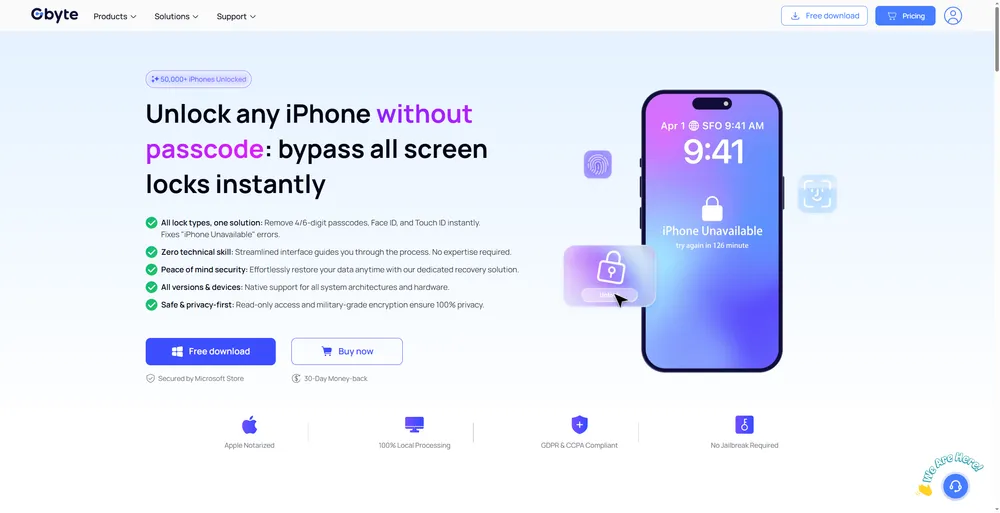
Where this genuinely helps: Recovery Mode failing because of iTunes or Finder itself acting up on a specific computer — an outdated version, a corrupted install, or a pairing history that's gotten confused. A tool like Gbyte Unlock uses Apple's own restore process as its foundation, while simplifying steps like device detection and firmware handling — working independently of iTunes' own install state rather than requiring a specific button sequence to be repeated correctly.
The phone was dropped, exposed to water, or had a screen or battery replacement recently
The same failure happens across multiple cables, ports, and computers
The computer never recognizes the device, not even once
The screen stays completely black or unresponsive regardless of what's tried
Continuing to try unlock or repair software at this point wastes time and, in some cases, adds further strain to an already-damaged connection. A repair shop is the next step, not another piece of software.
Getting past the button sequence and into Recovery Mode is one hurdle. The restore itself failing partway through, with an error code attached, is a separate, common snag.
Errors 4013, 4014, and 9 often point to the same underlying issue: the connection between the phone and the computer broke during the restore, or the computer couldn't communicate the restore command to the device. A charge-only cable, an unstable USB connection, or outdated software on the computer side are the usual causes. Switching to an original cable, trying a different USB port, and updating iTunes or Finder can resolve this in many cases.
A restore that keeps failing after trying these fixes lines up with the hardware signs covered above, rather than a setting worth adjusting further.
A phone stuck in Recovery Mode traces back to one of three places: a fixable software or connection issue, a hardware problem no software touches, or simply the wrong choice between Update and Restore. Ruling out hardware first, then matching the right guided process to the goal — Gbyte Repair for iOS issues where keeping data is the priority, Gbyte Unlock for a forgotten passcode that requires removing the screen lock — gets past this faster than working through methods at random.
Usually a failed restore, a connection issue between the phone and computer, or an interrupted iOS restore. Checking the cable, port, and iTunes/Finder version first resolves most cases.
Trying Update first keeps existing data in place. Restore, or a passcode-removal method, erases the device — a backup made before the lockout is what determines what comes back afterward.
Recovery Mode itself requires a computer. Where the underlying issue is a forgotten passcode rather than a system crash, Find My erase works without one, provided it was enabled beforehand.
The most common causes are a charge-only cable, a computer that's never paired with this specific device, or an outdated version of iTunes or Finder. A device that's never recognized under any combination of cable, port, and computer points toward a hardware issue instead.
Yes. DFU Mode is a deeper restore option, used when Recovery Mode itself fails repeatedly. Using DFU Mode to restore an iPhone erases the device — unlike Recovery Mode, which can sometimes update without erasing data.
 Add Gbyte as a preferred source on Google
Share


Related articles


Copyright ©2026 Gbyte. All rights reserved. Gbyte’s software is not developed by or affiliated with Apple Inc.
The installation wizard will automatically start after downloading.
After registration, the recovery process can be managed through the web interface.
You get it all with your purchase - no locked features, no hidden limitations.