

Gbyte Repair

Gbyte Repair
Fix 150+ iOS issues yourself, no tech skills needed, no data loss
Table of contents
Quick Answer
If you're comparing Dr.Fone alternatives for iOS system repair, Gbyte is worth a look. Both tools fix issues like an iPhone stuck on the Apple logo or in a boot loop, and both include an iOS Upgrade/Downgrade tool. The main differences come down to platform support and how each handles data during repair: Dr.Fone runs on Windows and Mac (plus Android on Windows) and bundles iOS repair inside a larger toolbox alongside data recovery and screen unlock. Gbyte runs on Windows only, but lets you choose to keep or erase data in either repair mode, and offers free Recovery Mode entry and exit.
If you're on Windows and want more control over data during repair, or a free way in and out of Recovery Mode, Gbyte covers what you need. If you're on Mac, also manage Android devices, or want other tools like data recovery bundled in, Dr.Fone is the better fit.
We've separately tested both tools hands-on — see the full Dr.Fone review and Gbyte Repair review for detailed results. This article focuses on comparing the two side by side.
Dr.Fone is a well-established toolkit, but a few things in our testing and research lead some users to look for another option:
Exiting Recovery Mode requires a paid license — even that basic function isn't free.
iOS System Repair is one module inside a larger toolbox that also includes data recovery, screen unlock, and WhatsApp transfer — useful if you want more tools, but something to navigate around if repair is all you need.
The refund window is 7 days, shorter than Wondershare's standard 30-day policy for many of its other products.
Advanced Repair always erases data, with no option to keep it.
If any of these matter to you, it's worth comparing Dr.Fone against Gbyte.
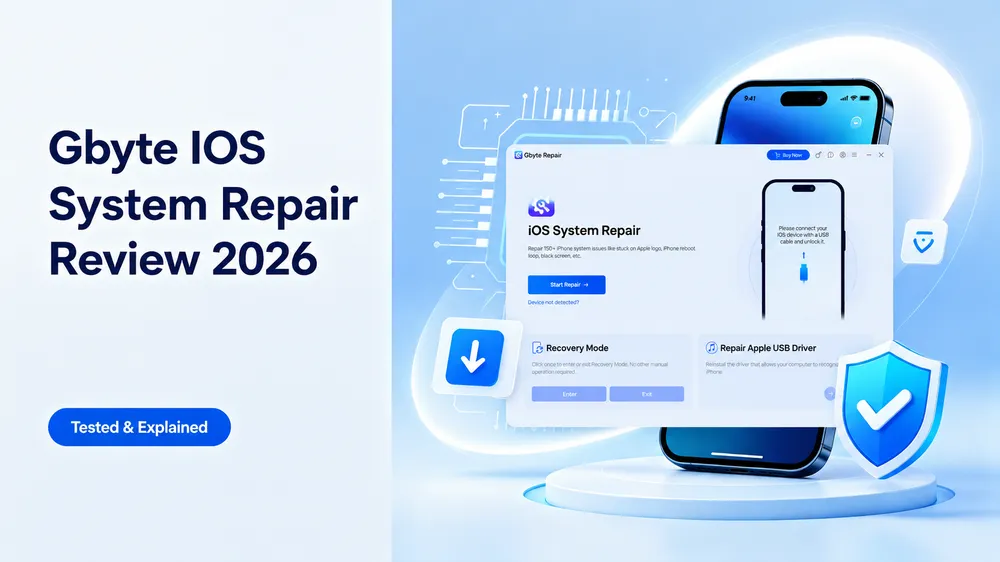
Gbyte iOS System Repair offers two repair paths: Standard Repair, the default option for common issues, and Deep Repair mode that runs via DFU Mode for more complex and persistent problems. Both modes let you choose to keep or erase your data.
The free Recovery Mode entry/exit tool is useful beyond just getting a stuck device unstuck — toggling in and out of Recovery Mode can also help with minor issues like a temporarily laggy iPhone or iPad. Gbyte also includes an iOS Upgrade/Downgrade tool, which has become more relevant as some users look to downgrade after updating to iOS 26 or 27, and a USB driver repair tool for cases where a computer doesn't recognize a connected device.
Both Gbyte Repair and Dr.Fone aim to solve iOS system problems in a simpler and more convenient way, but there are several differences worth noting.
Feature | Wondershare Dr.Fone | Gbyte Repair |
Platform & Device Support | iOS: Windows & Mac; Android: Windows | iOS: Windows |
Standard Repair | Preserves user data | Keep Data or Erase Data |
Advanced / Deep Repair | Advanced Repair: Erases Data | Deep Repair (DFU Mode): Keep Data or Erase Data |
iOS Upgrade/Downgrade | ✅ | ✅ |
iOS Compatibility | iOS 5.0 and later | iOS 9 and earlier versions – iOS 27 |
Supported Devices | iPhone/iPad/iPod touch | iPhone/iPad |
Free Recovery Mode Entry | ✅ | ✅ |
Free Recovery Mode Exit | ❌ | ✅ |
USB Driver Repair | Not listed as a standalone tool | ✅ |
Error-Specific Repair Tools | ✅ (e.g., 4013 Error, 1110 Error, Anti-Recovery Repair) | Not offered as separate tools |
Refund Window | 7 days | 30 days |
Bundled With | Data recovery, screen unlock, device transfer, and other utilities | iOS system repair tools only |
Plan | Wondershare Dr.Fone | Gbyte Repair |
Monthly | Windows: $24.95; Mac: $19.95 (5 devices / 2 computers) | $24.99 (5 devices / 1 PC) |
Annual | Windows: $49.95; Mac: $59.95 (5 devices / 2 computers) | $44.99 (6 devices / 1 PC) |
Lifetime | Windows: $69.95; Mac: $79.95 (5 devices / 2 computers) | $69.99 (8 devices / 1 PC) |
Dr.Fone is an all-in-one toolkit, but its tools are typically purchased separately unless you buy the Full Toolkit plan. The pricing shown above is for the standalone iOS System Repair product only.
Dr.Fone's plans cover more computers per license (2 vs. 1), which matters if you manage devices from multiple machines. Gbyte's annual and lifetime plans cover more devices per license (6 and 8, vs. Dr.Fone's 5) — useful if you're repairing several iPhones or iPads from a single PC, such as for a household or small team.
Pricing check update: 2026.9.14. Prices and plan details may change — check each product's official pricing page for the latest figures.
Both Dr.Fone and Gbyte Repair can handle common iOS system issues, but if you're considering an alternative to Dr.Fone for iOS System Repair, the right pick depends on what else you need beyond fixing your device.
You want an all-in-one toolkit — data recovery, screen unlock, and device transfer are available through Dr.Fone's Full Toolkit plan (not included with the standalone System Repair license)
You want error-specific tools like 4013/1110 Error Repair or Anti-Recovery Repair
You need iOS repair on both Windows and Mac, or Android repair on Windows
You need a license that covers multiple computers
You prefer a well-established software provider like Wondershare
You want free Recovery Mode entry and exit
You want the flexibility to keep or erase data in both Standard and Deep Repair
You need a USB driver fix without a separate tool
You want more device coverage on annual or lifetime plans
You prefer a longer 30-day refund window
If you've decided Gbyte Repair fits your needs, using it takes just 3 simple steps:
Download and launch Gbyte Repair, then connect your device to the computer.
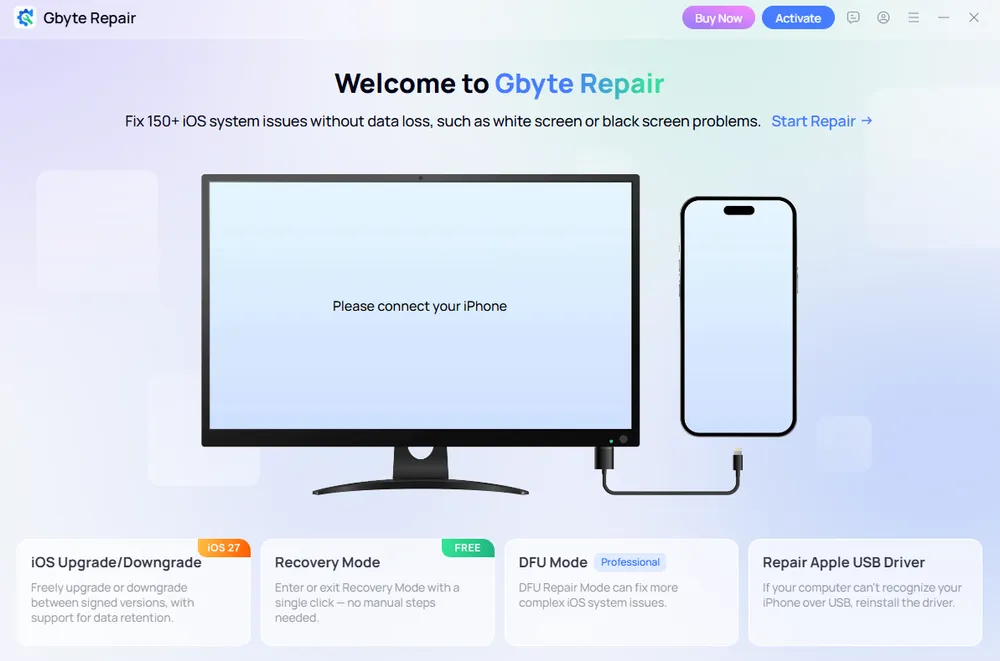
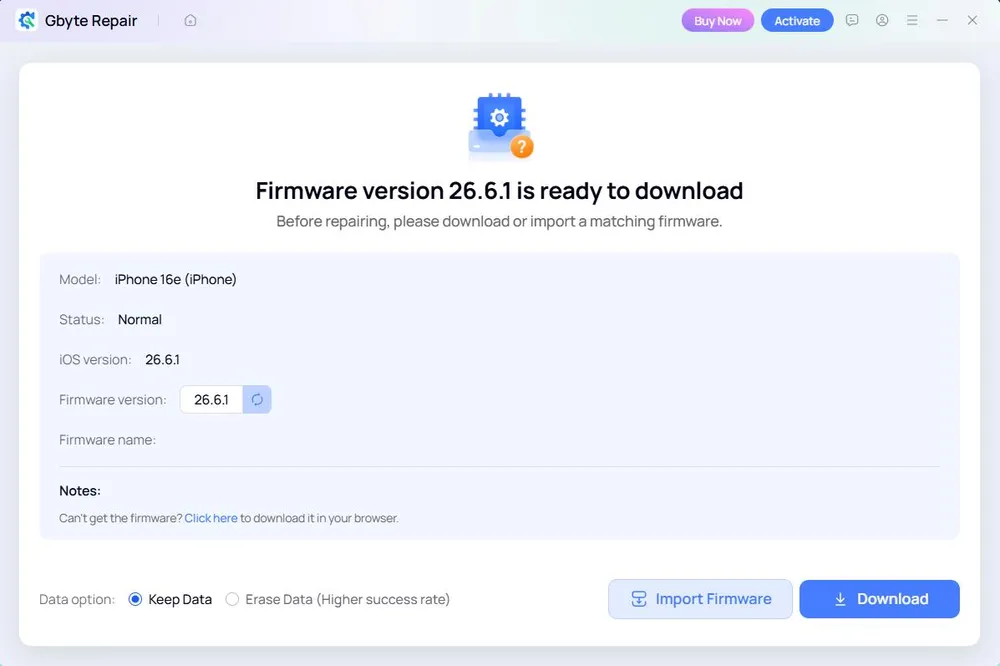
Click "Start Repair" for Standard Repair (the default), or enter DFU Mode directly for Deep Repair. Wait for Gbyte to detect and download the matching firmware package.
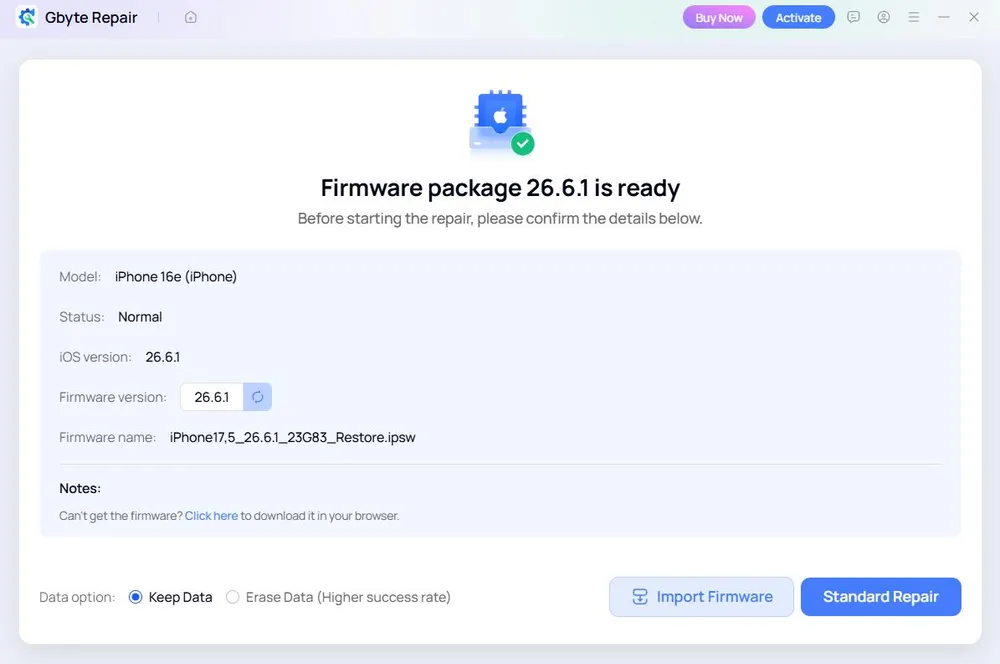
Once the firmware is ready, choose Keep Data or Erase Data, then click "Standard Repair" or "Deep Repair" to begin. The repair runs and completes automatically.
Yes — free tools like 3uTools exist for basic device management. If you want a more dedicated iOS repair tool with flexible data handling, Gbyte is worth considering, though its core repair features, like Dr.Fone's, require a paid plan.
Only Recovery Mode entry is free. Full repair functions — including Standard Repair, Advanced Repair, and Exit Recovery Mode — require a paid license.
Yes. Gbyte can fix common issues like a black, green, or white screen while keeping existing data.
Either works. If iOS repair is genuinely all you need, Gbyte's tools are dedicated to that. If you might also need data recovery, screen unlock, or device transfer down the line, Dr.Fone's Full Toolkit plan bundles those in with repair.
Dr.Fone and Gbyte can both get a stuck iPhone or iPad back to normal. Dr.Fone makes more sense if you want one toolkit that also covers data recovery, screen unlock, or Android repair, and don't mind paying for the Full Toolkit to get there. If you're looking for a Dr.Fone alternative that sticks to iOS system repair — with free Recovery Mode entry and exit, flexible data handling in every repair mode, and a longer refund window — Gbyte Repair is worth trying.
 Add Gbyte as a preferred source on Google
Share


Related articles


Copyright ©2026 Gbyte. All rights reserved. Gbyte’s software is not developed by or affiliated with Apple Inc.
The installation wizard will automatically start after downloading.
After registration, the recovery process can be managed through the web interface.
You get it all with your purchase - no locked features, no hidden limitations.