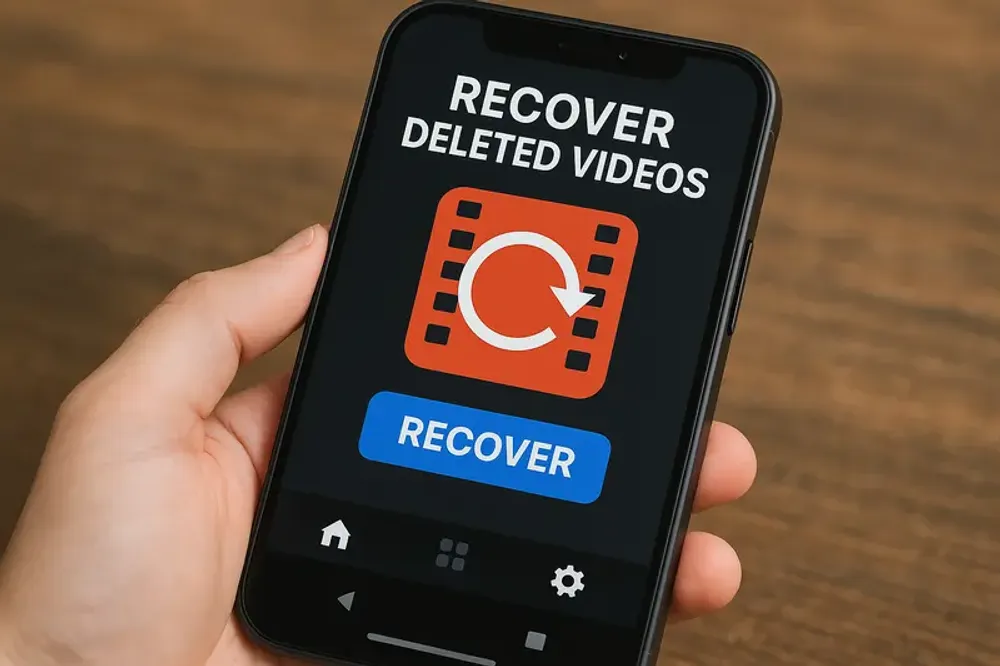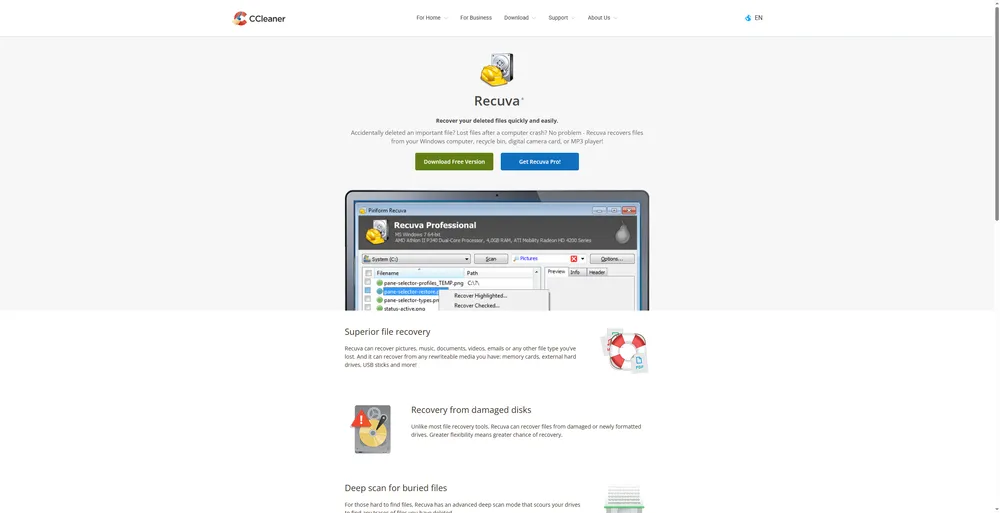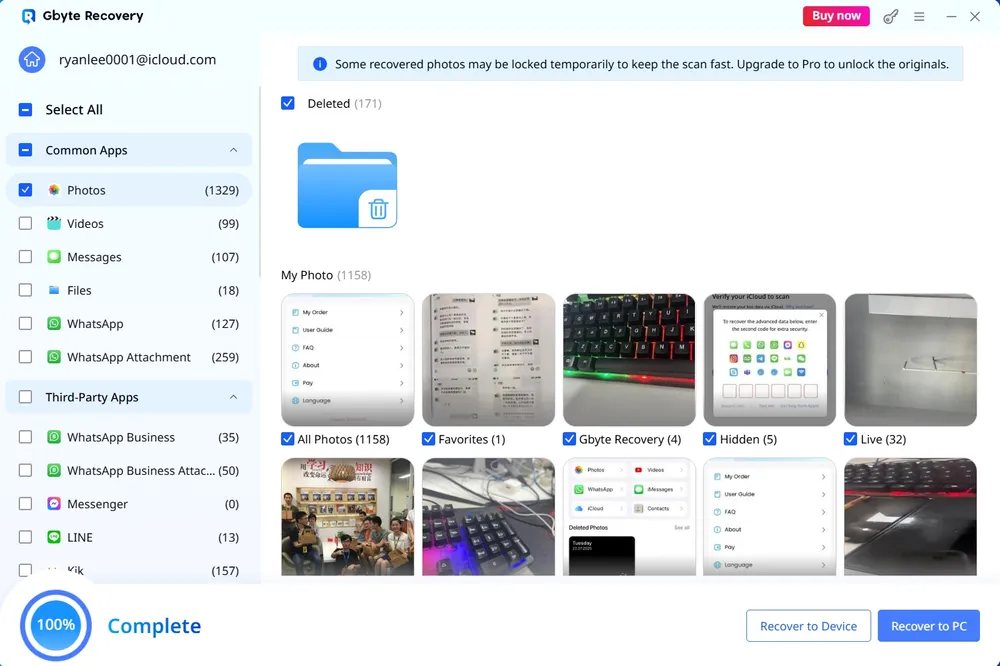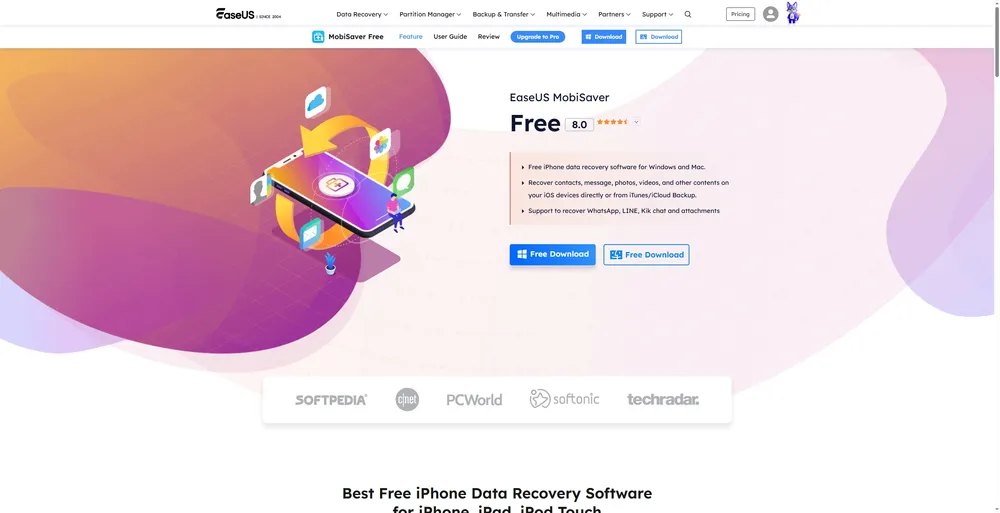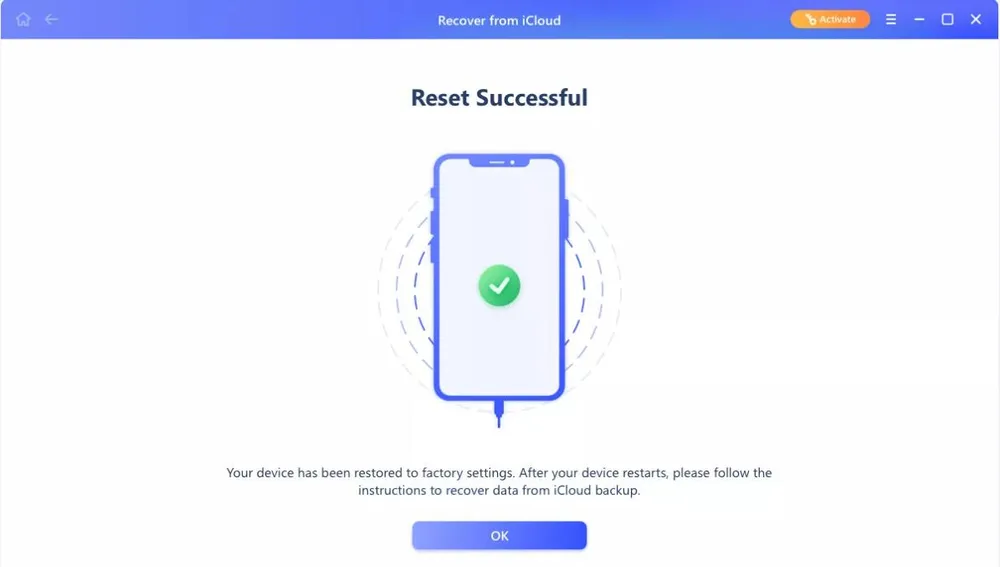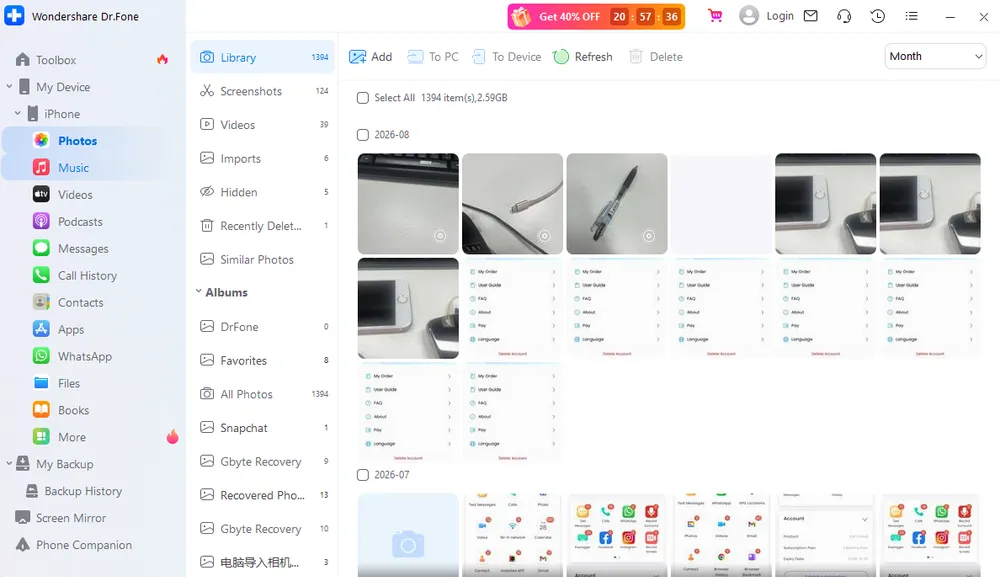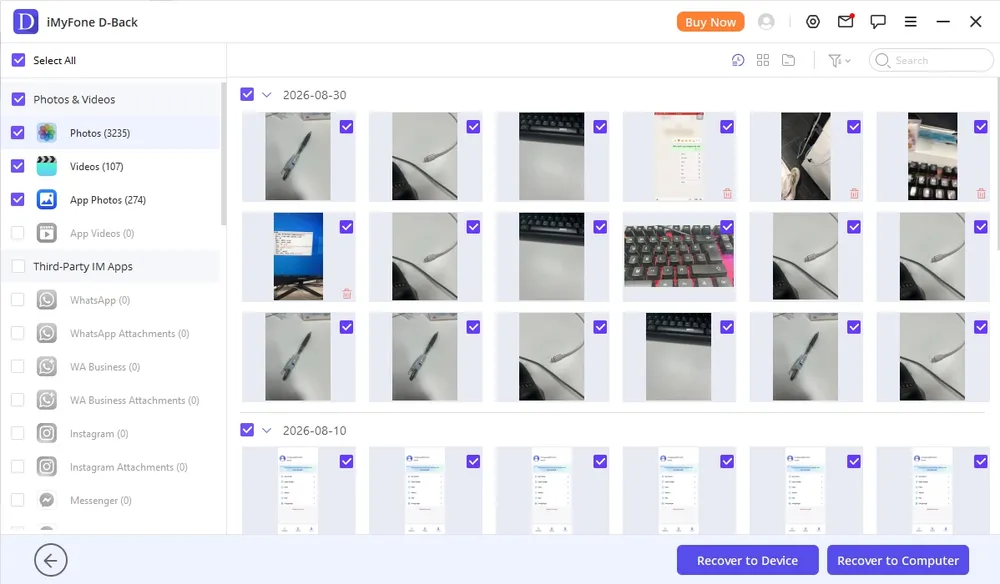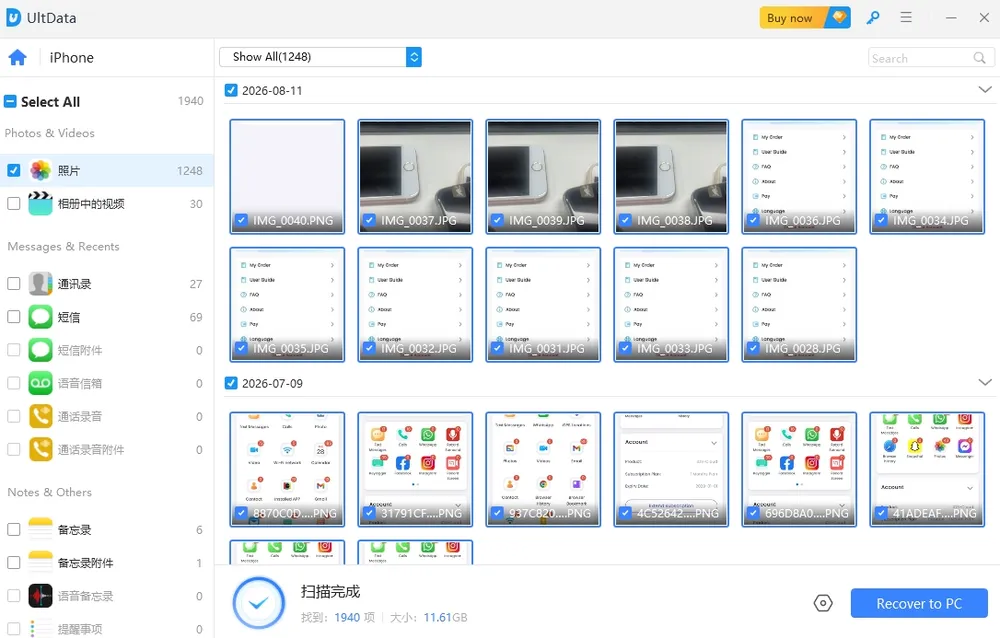
Title: 10 Video Recovery Software: Free & Paid Reviews in 2026 URL Source: https://recovery-next-web.pages.dev/blog/video-recovery-software Published Time: 2025-08-12T07:17:30.000Z Markdown Content: 10 Video Recovery Software: Free & Paid Reviews in 2026 =============== [![Image 1: Gbyte Logo](https://recovery-next-web.pages.dev/logo.svg)](https://www.gbyte.com/) ![Image 2: nav-expanded](https://recovery-next-web.pages.dev/images/components-icon/segment.svg) ![Image 3: recovery](https://recovery-next-web.pages.dev/images/logos/gbyte-recovery-icon.svg) Gbyte Recovery Your Trusted iPhone Data Recovery Tool -------------------------------------- Free scan and selective preview of 25+ data types like messages, photos, and WhatsApp. No data overwritten — recover only what you need. * ![Image 4: crook](https://recovery-next-web.pages.dev/images/blog-tips/crook.svg) Free scan and preview available before recovery — no risk, no hassle * ![Image 5: crook](https://recovery-next-web.pages.dev/images/blog-tips/crook.svg) Recover 25+ data types including messages, photos, WhatsApp, and LINE * ![Image 6: crook](https://recovery-next-web.pages.dev/images/blog-tips/crook.svg) Selectively export only what you need, without overwriting existing data * ![Image 7: crook](https://recovery-next-web.pages.dev/images/blog-tips/crook.svg) No device access needed — works with broken, lost, or reset devices [Learn more](https://recovery-next-web.pages.dev/iphone-data-recovery) ![Image 8: recoveryBanner](https://recovery-next-web.pages.dev/images/blog-tips/recoveryBanner.webp) * [Home](https://recovery-next-web.pages.dev/) * [Blog](https://recovery-next-web.pages.dev/blog) * [Reviews & Alternatives](https://recovery-next-web.pages.dev/blog/category/reviews) * [Best Picks](https://recovery-next-web.pages.dev/blog/category/reviews/best) 10 Best Video Recovery Software (Free & Paid) – Tested & Reviewed ================================================================= Jason Kim|4 min read|Updated:Aug 11, 2025 * * * Table of contents ![Image 9: iPhone Data Recovery Predictor](https://resource.gbyte.com/20251211/original/Group%201000008143.webp) iPhone Data Recovery Predictor Not sure if your iPhone data can be recovered? Find out in 30 seconds. ![Image 10](https://resource.gbyte.com/20251211/original/Group%201000008143.webp) iPhone Data Recovery Predictor Test your data recovery probability [](https://recovery-next-web.pages.dev/blog/video-recovery-software)[Test Now](https://www.gbyte.com/iphone-data-recovery-predictor) **We Tested 10 Video Recovery Software—Here’s What Actually Works (Free & Paid)** Deleted a video from your PC, iPhone or Android? You're not alone—and you're not out of options. We tested over 10 popular **video recovery software tools**, including both **free** and **paid** options. What we found was eye-opening: * Some “free” apps couldn’t recover anything unless you paid. * Others worked—but only for small files or limited formats. * A few paid tools, however, recovered full-length 4K videos **even after 30 days**. In this guide, we’ll show you: * ✅ The best **free video recovery software** (what works, what doesn’t) * 💻 The most effective **paid recovery tools** (and whether they’re worth it) * 📊 A side-by-side comparison of performance, features, and value If you're looking to **recover deleted video files**—from phone storage, recycle bin, or even formatted drives—this is the guide to read before downloading anything. ![Image 11: recover-deleted-videos-software.webp](https://resource.gbyte.com/20250812/large/recover-deleted-videos-software.webp) Part 1. A Quick Summary of 10 Best Video Recovery Software ---------------------------------------------------------- Choosing the right **video recovery software** can be overwhelming with so many options available. To make it easier, here’s a quick overview of the **10 best video recovery tools** that we tested and recommend for recovering deleted or lost video files from PCs, Android devices and iPhone. Software Name Best For Key Feature Price Recuva Simple, recent PC deletions Completely free with a user-friendly interface Free PhotoRec Deeply deleted files, advanced users Powerful deep scan, recovers files by signature Free (Command-line) Windows File Recovery Windows users comfortable with tech Microsoft's official, free command-line tool Free Google Photos / iCloud Mobile phone users with backup enabled Automatically backs up, keeps deleted videos for 30-60 days Free (Cloud Service) TestDisk Recovering lost partitions Restores entire partitions to recover all files Free Gbyte iOS Recovery iPhone users who want to verify data before paying Free scan and preview of all recoverable data from iCloud backups Paid (with free scan & preview) EaseUS MobiSaver Wide range of data recovery from backups Supports recovery from iOS devices, iTunes, and iCloud backups Paid (with free version) Dr Fone Accessing existing data on a phone Cannot recover permanently deleted files, only displays existing data Paid D-Back Accessing data from backups, not for deleted files Misleadingly advertised as a recovery tool, cannot restore deleted files Paid UltData Accessing data from iCloud backups Has a security flaw (resets iTunes password) and cannot recover permanently deleted files Paid Part 2. Top 5 Free Video Recovery Software ------------------------------------------ ### 1. **Recuva** (for Windows) **Best for**: Beginners recovering recently deleted video files from Windows PC **How It Works**: Recuva scans the file system (NTFS/FAT) for data blocks marked as "deleted" but not yet overwritten. It then reconstructs these fragments into usable video files, especially if the drive hasn’t been heavily written to since deletion. **Key Features**: * Quick and deep scan options * File preview before recovery * Supports MP4, AVI, MOV, and more * Secure file overwrite to prevent future recovery (privacy protection) ![Image 12: module-pros-icon](https://resource.ilocationchanger.com/20250416/original/module-pros-icon.webp) Pros * User-friendly wizard interface * Fast and lightweight * Great for simple accidental deletions ![Image 13: module-cons-icon](https://resource.ilocationchanger.com/20250416/original/module-cons-icon.webp) Cons * Windows only * May struggle with fragmented or overwritten files **Price**: Free (Pro version from $19.95) ### 2. **PhotoRec** (Windows, macOS, Linux) **Best for**: Tech-savvy users needing raw video recovery on multiple platforms. **How It Works**: PhotoRec bypasses the file system and directly scans the raw disk surface for known file signatures (MP4, AVI, 3GP, etc.), making it ideal for recovering data from corrupted or reformatted drives. **Key Features**: * File signature-based recovery * Cross-platform support * Works on hard drives, SD cards, USB sticks * Recovers over 480 file formats ![Image 14: module-pros-icon](https://resource.ilocationchanger.com/20250416/original/module-pros-icon.webp) Pros * Extremely powerful and effective * Free and open-source * Great for damaged or reformatted drives ![Image 15: module-cons-icon](https://resource.ilocationchanger.com/20250416/original/module-cons-icon.webp) Cons * No graphical interface (command-line only) * No file names or original folder structure preserved **Price**: 100% Free ### 3. **Windows File Recovery** (Windows 10/11) **Best for**: Advanced Windows users who prefer command-line recovery. **How It Works**: Windows File Recovery uses a command-line interface to scan drives in different modes (Regular, Extensive, Segment, and Signature) depending on file system type and damage severity. **Key Features**: * Four recovery modes * Supports NTFS, FAT, exFAT, and ReFS file systems * Recover from local HDDs, SSDs, USBs ![Image 16: module-pros-icon](https://resource.ilocationchanger.com/20250416/original/module-pros-icon.webp) Pros * Built-in Microsoft tool (no third-party needed) * High compatibility with modern Windows drives * Customizable file filters (e.g., only .mp4) ![Image 17: module-cons-icon](https://resource.ilocationchanger.com/20250416/original/module-cons-icon.webp) Cons * No GUI (requires CMD usage) * Limited file previews * Only works on Windows 10/11 **Price**: Free via Microsoft Store ### 4. **Google Photos / iCloud** (Android & iPhone) **Best for**: Users who deleted videos recently and had cloud sync enabled. **How It Works**: These cloud services store photos and videos in the trash for 30–60 days after deletion. Recovery is as simple as checking the Trash folder and restoring items. **Key Features**: * Cloud-based backup and recovery * Simple restore process via mobile or web * No technical skills required * Works across multiple devices ![Image 18: module-pros-icon](https://resource.ilocationchanger.com/20250416/original/module-pros-icon.webp) Pros * Extremely easy to use * Instant restore without software * Protects against permanent loss ![Image 19: module-cons-icon](https://resource.ilocationchanger.com/20250416/original/module-cons-icon.webp) Cons * Only works if auto-backup was enabled * Time-limited retention in trash (30–60 days) * No recovery for videos deleted before syncing **Price**: Free (up to storage limit) ### 5. **TestDisk** (Windows, macOS, Linux) **Best for**: Rebuilding lost partitions and recovering videos from corrupted drives. **How It Works**: TestDisk repairs damaged partition tables and boot sectors. It can also list deleted files in the file system, allowing recovery by copying them to a safe location. **Key Features**: * Partition repair and boot sector restoration * Compatible with NTFS, FAT, exFAT, ext4 * Integrated file undelete feature * Works alongside PhotoRec ![Image 20: module-pros-icon](https://resource.ilocationchanger.com/20250416/original/module-pros-icon.webp) Pros * Deep recovery options * Open-source and free * Excellent for raw or unallocated drives ![Image 21: module-cons-icon](https://resource.ilocationchanger.com/20250416/original/module-cons-icon.webp) Cons * Command-line interface * Requires technical knowledge * Not ideal for casual users **Price**: 100% Free Part 3. Top 5 Paid Video Recovery Software ------------------------------------------ ### Gbyte iOS Recovery **Best for:** iPhone users who want to confirm their data is recoverable before paying. **How It Works:**[Gbyte iOS Recovery](https://www.gbyte.com/iphone-data-recovery) works by analyzing snapshots from your iCloud Backup. It compares different backup points to identify data that has been deleted from your device, then presents it for recovery. **Key Features:** * **Comprehensive Data Support:** Can recover photos, videos, messages, contacts, WhatsApp, Line, and more. * **Free Scan & Preview:** Allows you to view all recoverable data before you make a purchase. ![Image 22: module-pros-icon](https://resource.ilocationchanger.com/20250416/original/module-pros-icon.webp) Pros * The tool to offer a free preview of all recoverable data, ensuring you only pay if your video can be restored. * Clear and straightforward process. ![Image 23: module-cons-icon](https://resource.ilocationchanger.com/20250416/original/module-cons-icon.webp) Cons * Requires a paid license to complete the recovery. ![Image 24: recovery-logo](https://resource.ilocationchanger.com/20250415/original/recovery-logo.webp) Fast, Easy, and Safe Data Recovery Handles accidental deletion, system crashes, and more [![Image 25: download-win-icon](https://resource.ilocationchanger.com/20250415/original/download-win-icon.webp) Get started](https://www.gbyte.com/iphone-data-recovery) 660,000 people have downloaded it * Supports Multiple Data Types: Recovers photos, messages, contacts, WhatsApp, notes, and more. * No Data Overwritten: Ensures existing files remain untouched during recovery. * High Recovery Success Rate: Recovers a wide range of lost data types with minimal failure. * Secure & Private: Keeps user data safe, with no leaks or risks. [![Image 26: download-win-icon](https://resource.ilocationchanger.com/20250415/original/download-win-icon.webp) Get started](https://www.gbyte.com/iphone-data-recovery) 660,000 people have downloaded it ### EaseUS Data Recovery Wizard **Best for:** Users who need a wide range of data recovery options from backups. **How It Works:**[EaseUS MobiSaver](https://www.easeus.com/ios-data-recovery-software/) can recover deleted data from both Android and iPhone devices. Its primary method for iPhones is through iCloud backups, which allows it to retrieve data that has been deleted from your device but is still present in an iCloud Backup. Because of this, the software is largely ineffective if you haven't enabled iCloud Backup on your phone before the data was deleted. **Key Features:** * **Multiple Recovery Methods:** Recovers from iOS devices, iTunes, and iCloud backups. * **Comprehensive Data Support:** Can recover photos, videos, messages, contacts, WhatsApp, Line, and more. * **Flexible Recovery:** Offers the option to recover data to a PC or, for photos, directly back to your phone. ![Image 27: module-pros-icon](https://resource.ilocationchanger.com/20250416/original/module-pros-icon.webp) Pros * Well-structured and clear process * Fast data scanning * You can recover data directly to your phone (photos only) or to your PC ![Image 28: module-cons-icon](https://resource.ilocationchanger.com/20250416/original/module-cons-icon.webp) Cons * The app may reset your phone to factory settings * On iOS 13 or newer, it will reset your iTunes backup password to 'a', which is a significant security risk ### **Dr. Fone** **Best for:** Viewing existing data on a phone (not for deleted files). **How It Works:**[Dr. Fone](https://drfone.wondershare.com/) connects to your device via a USB cable. It scans the device and displays existing data. According to our findings, it does not have the capability to recover most permanently deleted content. **Key Features:** * **Fast Scan:** Completes the scanning process in a few minutes. * **Clear Interface:** Offers a clean, easy-to-use interface. ![Image 29: module-pros-icon](https://resource.ilocationchanger.com/20250416/original/module-pros-icon.webp) Pros * Simple and well-structured process * Fast scanning speeds ![Image 30: module-cons-icon](https://resource.ilocationchanger.com/20250416/original/module-cons-icon.webp) Cons * Cannot recover permanently deleted data (except for Notes) * The tool is misleading, as the data it displays is already on your phone and can be accessed without the software * Not a true data recovery solution for lost files * Using it might make your computer extremely slow ### D-Back **Best for:** Accessing data from Cloud backup. **How It Works:**[D-Back](https://www.imyfone.com/data-recovery-software/) uses multiple methods to access data: a direct USB connection to the device, connecting to your Cloud account, or scanning your iTunes backups. However, its effectiveness is limited to retrieving existing or synced data rather than restoring permanently deleted content. **Key Features:** * **Multiple Recovery Methods:** Supports USB, Cloud, and iTunes backups. * **Well-Organized Process:** The steps are clear and easy to follow. ![Image 31: module-pros-icon](https://resource.ilocationchanger.com/20250416/original/module-pros-icon.webp) Pros * Well-structured process with clear instructions * Smooth and fast data scanning ![Image 32: module-cons-icon](https://resource.ilocationchanger.com/20250416/original/module-cons-icon.webp) Cons * Cannot recover permanently deleted data (except for Notes) * The iCloud method only scans synced data that is already available on iCloud official website. * Its advertising claims are misleading, as it is not a true recovery tool for deleted files ### **UltData** **Best for:** Users with iCloud backups who need to access synced data. **How It Works:** UltData connects to your iPhone via a USB cable or by logging into your iCloud account. It then scans the device or your iCloud data to find and display content. **Key Features:** * **Multiple Recovery Methods:** Recovers from iOS devices and iCloud. * **Extensive Data Support:** Claims to support many data types, including WhatsApp, Line, and Messenger. ![Image 33: module-pros-icon](https://resource.ilocationchanger.com/20250416/original/module-pros-icon.webp) Pros * The process is clear and easy to follow * It can access a wide range of data from iCloud backups ![Image 34: module-cons-icon](https://resource.ilocationchanger.com/20250416/original/module-cons-icon.webp) Cons * Cannot recover permanently deleted data * A significant security flaw: it resets your iTunes backup password to '1' every time you scan your phone * A video was scanned but could not be played, indicating a failure to fully recover the file * All features require a prior backup to be implemented Part 4. Free vs Paid Video Recovery Software– Which One Should You Choose? -------------------------------------------------------------------------- Deciding between a free and a paid recovery tool is often the hardest part. While a free option is tempting, it’s crucial to understand their core differences to avoid wasting time or, worse, damaging your data. Free and paid software aren't just different in price; they operate on fundamentally different principles and offer varying levels of success. The biggest distinction is often in their scanning algorithms and ability to handle fragmented or severely damaged files. Here’s a quick comparison to help you choose the right path: Feature Free Video Recovery Software Paid Video Recovery Software **Recovery Success Rate**Low to Medium. Best for simple, recent deletions where data hasn't been overwritten.High. Can recover files from formatted drives, corrupted partitions, and more complex scenarios. **Scan Depth & Speed**Limited. Often uses a quick scan to find files, but may miss deeply buried or fragmented data.Advanced. Features a fast quick scan and a powerful deep scan to find every trace of your file. **Supported File Types**Basic. Typically supports common file types like MP4, MOV, and AVI.Extensive. Supports a much wider range of video formats, camera RAW, and other complex file types. **Specialized Features**Rare. Few free tools offer advanced features like video repair or data protection.Common. Often includes features to repair corrupted video files, restore damaged partitions, or monitor drive health. **Technical Support**None. You're on your own. Support is usually limited to online forums or FAQs.Full. Offers dedicated customer service and technical support to guide you through the process. #### **💡 When to Choose a Free Tool** * **Your video was just deleted.** If the file was recently moved to the Recycle Bin or Trash and you haven’t used the device much since, a free tool like **Recuva** has a good chance of success. * **You're trying to recover a small, non-critical file.** For a video that isn't a once-in-a-lifetime memory, the limitations of a free tool might be an acceptable risk. * **You have a recent backup.** Always check your cloud services like **Google Photos** or **iCloud** first. This is the easiest and most reliable form of free recovery. #### **💡 When to Choose a Paid Tool** * **The video is irreplaceable.** For precious memories like weddings, family events, or once-in-a-lifetime trips, the cost of a paid tool is a small price to pay for a high probability of success. * **The file has been permanently deleted or the drive was formatted.** These complex scenarios require the advanced deep-scanning algorithms of a professional tool like **Gbyte iOS Recovery.** * **Free tools have failed.** If you’ve already tried a free tool without success, a paid option is your next logical step. The deep scan might find what the quick scan missed. Part 5. FAQs ------------ #### Q1. Can permanently deleted videos be recovered? Yes, permanently deleted videos _can_ be recovered, especially if the data hasn’t been overwritten. Tools like **Recuva**, **PhotoRec**, or **Gbyte iOS Recovery** can scan deep sectors of your storage device to retrieve erased video files, even after they've been removed from the “Recently Deleted” folder or Recycle Bin. #### Q2. Which app is best for recovering deleted videos? The best app depends on your device. For **Android**, popular options include **EaseUS** and **Dr.Fone**. For **iPhone**, tools like **Gbyte iOS Recovery** offer higher success rates, especially for permanently deleted videos. If you’re using a PC or Mac, desktop software like **TestDisk** delivers better recovery depth than mobile apps. #### Q3. Is Recuva 100% free? Yes, **Recuva** offers a completely free version that supports video recovery from hard drives, SD cards, and USB devices. However, the **Pro version** includes advanced features like virtual hard drive support and automatic updates, but the free version is sufficient for most personal recovery tasks. #### Q4. Which app is best for recovering permanently deleted photos? For **permanently deleted photos**, tools like **PhotoRec** (free and open-source) or **Gbyte iOS Recovery** (for iPhone users) are highly recommended. They can scan storage at the file system level, bypassing OS limitations. For Android, **EaseUS** performs well in recovering lost media. #### Q5. Are permanently deleted files gone forever? Not necessarily. When you permanently delete a file, the system only marks the space as available—it doesn’t erase the data immediately. With the right **video recovery software** (like **Gbyte iOS Recovery**), it’s possible to retrieve these files unless they’ve been overwritten by new data. #### Q6. Is the video recovery app safe? Most well-known **video recovery apps** are safe if downloaded from official websites or trusted app stores. However, some free tools may bundle adware or request unnecessary permissions. Stick with reputable software like **Recuva**, **Dr Fone**, or **Gbyte iOS Recovery** to ensure data safety and privacy. Part 6. Conclusion ------------------ Video recovery isn’t hopeless—even for permanently deleted files. Whether you need a free tool like **Recuva** or a pro solution like **Gbyte iOS Recovery**, the right software can often bring your lost videos back. We tested 10 tools across **PC, Android, and iPhone**, and broke down how each one works—so you don’t have to guess. Choose based on your device and needs, and act quickly for the best chance of success. ![Image 35: recovery](https://recovery-next-web.pages.dev/images/logos/gbyte-recovery-icon.svg) Gbyte Recovery Don't wait until your data is gone forever! Try Gbyte iOS Recovery for free—scan first! 100% secure. Your data always stays private. Table of contents * [Part 1. A Quick Summary of 10 Best Video Recovery Software](https://recovery-next-web.pages.dev/blog/video-recovery-software#auto-heading-0) * [Part 2. Top 5 Free Video Recovery Software](https://recovery-next-web.pages.dev/blog/video-recovery-software#auto-heading-1) * [Part 3. Top 5 Paid Video Recovery Software](https://recovery-next-web.pages.dev/blog/video-recovery-software#auto-heading-2) * [Part 4. Free vs Paid Video Recovery Software– Which One Should You Choose?](https://recovery-next-web.pages.dev/blog/video-recovery-software#auto-heading-3) * [Part 5. FAQs](https://recovery-next-web.pages.dev/blog/video-recovery-software#auto-heading-4) * [Part 6. Conclusion](https://recovery-next-web.pages.dev/blog/video-recovery-software#auto-heading-5) ![Image 36: recovery](https://recovery-next-web.pages.dev/images/logos/gbyte-recovery-icon.svg) Gbyte Recovery Gbyte recovers 25+ types of lost iPhone data in minutes 100% secure. Your data always stays private. Share * ![Image 37: share to facebook](https://recovery-next-web.pages.dev/images/blog-tips/facebook.svg) * ![Image 38: share to linkedin](https://recovery-next-web.pages.dev/images/blog-tips/linkedin.svg) * ![Image 39: share to x](https://recovery-next-web.pages.dev/images/blog-tips/twitter-bg-black.svg) Related articles [![Image 40: dr-fone-alternative-gbyte-iphone](https://resource.gbyte.com/20251211/large/dr-fone-alternative-gbyte-iphone.webp) Gbyte: The Real Dr. Fone Alternative for iPhone Recovery Jason Kim 11 Dec 2025](https://recovery-next-web.pages.dev/blog/dr-fone-alternative-gbyte-iphone) [![Image 41: telegram-recovery-software-for-iphone](https://resource.gbyte.com/20251209/large/telegram-recovery-software-for-iphone.webp) Gbyte Recovery: Tested Telegram Recovery Software for iPhone Sophia Tang 9 Dec 2025](https://recovery-next-web.pages.dev/blog/telegram-recovery-software-for-iphone) [![Image 42: best-icloud-data-recovery-software](https://resource.gbyte.com/20251201/large/icloud-data-recovery-software-cover.webp) The 6 Best iCloud Data Recovery Software (Honest Comparison) Sophia Tang 1 Dec 2025](https://recovery-next-web.pages.dev/blog/best-icloud-data-recovery-software) [![Image 43: stellar-iphone-data-recovery-review](https://resource.gbyte.com/20251106/large/stellar-iphone-data-recovery-review-cover.webp) Stellar Data Recovery for iPhone Review: Does It Really Work? Sophia Tang 6 Nov 2025](https://recovery-next-web.pages.dev/blog/stellar-iphone-data-recovery-review) ![Image 44: Gbyte Logo](https://recovery-next-web.pages.dev/logo.svg) [![Image 45: instagram](https://recovery-next-web.pages.dev/images/app-icons/InstagramAwesome.png)](https://www.instagram.com/gbyterecovery/)[![Image 46: twitter](https://recovery-next-web.pages.dev/images/app-icons/twitterAwesome.png)](https://x.com/GbyteRecovery)[![Image 47: youtube](https://recovery-next-web.pages.dev/images/app-icons/youtubeAwesome.png)](https://www.youtube.com/@Gbyte_Recovery) ![Image 48: language](https://recovery-next-web.pages.dev/images/components-icon/Langue.svg) ![Image 49: icon](https://recovery-next-web.pages.dev/images/product/icon-wrapper.svg) Company ![Image 50: icon](https://recovery-next-web.pages.dev/images/product/icon-wrapper.svg) * [About us](https://recovery-next-web.pages.dev/policy/about) * [Contact](https://recovery-next-web.pages.dev/policy/contact) * [Privacy](https://recovery-next-web.pages.dev/policy/privacy) * [Terms](https://recovery-next-web.pages.dev/policy/terms) * [Refund](https://recovery-next-web.pages.dev/policy/refund) Resources ![Image 51: icon](https://recovery-next-web.pages.dev/images/product/icon-wrapper.svg) * [Blog](https://recovery-next-web.pages.dev/blog) * [Guide](https://recovery-next-web.pages.dev/guide) * [FAQ](https://recovery-next-web.pages.dev/faq) * [Gbyte Recovery Reviews](https://recovery-next-web.pages.dev/gbyte-ios-data-recovery-reviews) * [Best Data Recovery](https://recovery-next-web.pages.dev/best-data-recovery) * [Compare](https://recovery-next-web.pages.dev/compare) ![Image 52: Gbyte Logo](https://recovery-next-web.pages.dev/logo.svg) [![Image 53: instagram](https://recovery-next-web.pages.dev/images/app-icons/InstagramAwesome.png)](https://www.instagram.com/gbyterecovery/)[![Image 54: twitter](https://recovery-next-web.pages.dev/images/app-icons/twitterAwesome.png)](https://x.com/GbyteRecovery)[![Image 55: youtube](https://recovery-next-web.pages.dev/images/app-icons/youtubeAwesome.png)](https://www.youtube.com/@Gbyte_Recovery) ![Image 56: language](https://recovery-next-web.pages.dev/images/components-icon/language.svg)Select language Company [About us](https://recovery-next-web.pages.dev/policy/about)[Contact](https://recovery-next-web.pages.dev/policy/contact)[Privacy](https://recovery-next-web.pages.dev/policy/privacy)[Terms](https://recovery-next-web.pages.dev/policy/terms)[Refund](https://recovery-next-web.pages.dev/policy/refund) Resources [Blog](https://recovery-next-web.pages.dev/blog)[Guide](https://recovery-next-web.pages.dev/guide)[FAQ](https://recovery-next-web.pages.dev/faq)[Gbyte Recovery Reviews](https://recovery-next-web.pages.dev/gbyte-ios-data-recovery-reviews)[Best Data Recovery](https://recovery-next-web.pages.dev/best-data-recovery)[Compare](https://recovery-next-web.pages.dev/compare) The installation wizard will automatically start after downloading. After registration, the recovery process can be managed through the web interface. You get it all with your purchase - no locked features, no hidden limitations.