Gbyte Recovery
Gbyte Recovery
Free scan and selective preview of 25+ data types like messages, photos, and WhatsApp. No data overwritten — recover only what you need.
 Gbyte Editorial Team
Table of contents
“If I block someone and they send me messages, I won’t see them. If I unblock them later, can I then see the messages they sent while they were blocked?”
Have you accidentally blocked someone on your iPhone and now want to see the messages they sent? Or did you delete a conversation before realizing you still needed it?
Unfortunately, iPhone does not keep a separate folder for messages that were sent while a number was blocked. Messages sent during the blocked period generally aren’t delivered to your iPhone, so unblocking the contact later won’t make those messages appear.
However, the situation is different if the messages were delivered before you blocked the person and were later deleted. In that case, you may still have recovery options. This guide explains what you can and can’t recover, where to look first, and when a tool like Gbyte Recovery may help.
If the message arrived on your device before you enabled blocking, how to view blocked messages on iPhone? Here are 2 simple and easy solutions you can use. Neither method guarantees that blocked messages can be found. So, try your luck.
If the message was delivered before you blocked the contact, its notification may still be available in Notification Center if you haven’t cleared it.

Keep in mind that this only lets you view a leftover notification. It does not recover messages that were sent after the contact was blocked.
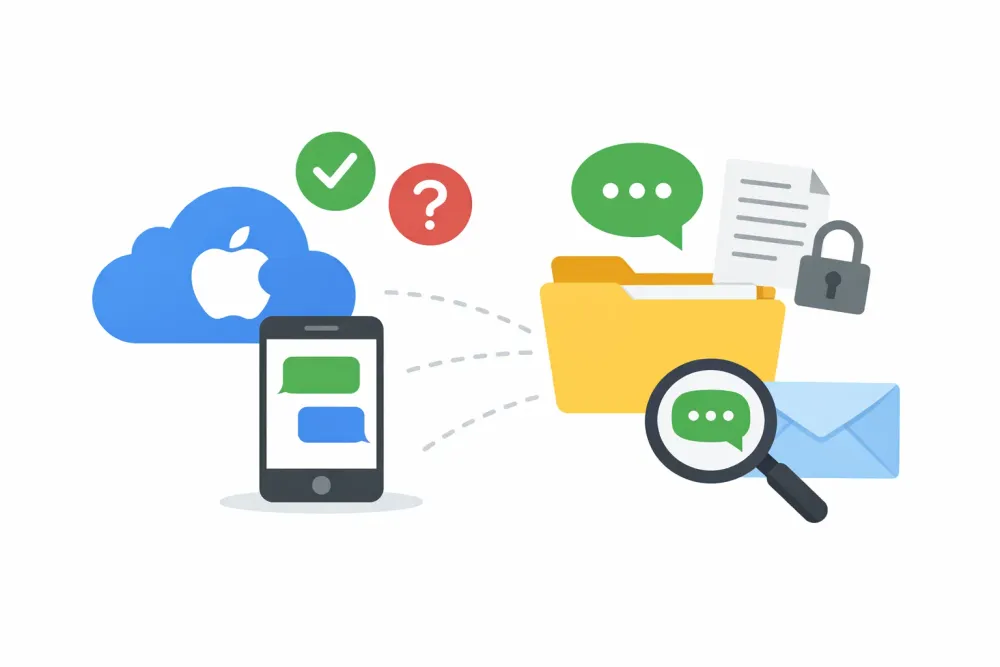
If you use Messages with other Apple devices, such as an iPad or Mac, check those devices for the conversation.
This is useful when the message was delivered before you blocked the contact and the conversation was still available on another synced device. It should not be treated as a way to retrieve messages that were sent while the contact was blocked.
Messages sent during the block period are rejected by iOS and never saved locally on your iPhone. There is no built‑in folder or hidden location to retrieve these intercepted messages, even after unblocking.
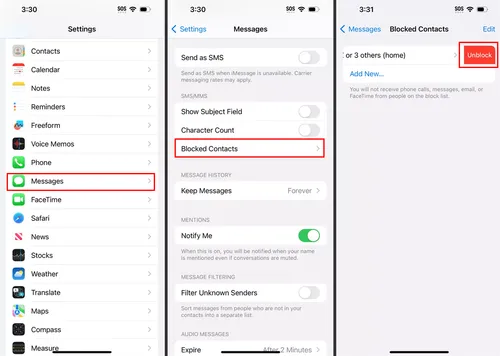
If you are sure that you want to receive messages from someone, you need to unblock him/her from the Blocked Contacts. This way, you don't need to search on the internet to find how to check blocked messages on iPhone. Then, how to see blocked contacts on iPhone and how to unblock messages from someone?
Step 1: Launch your Settings app.
Step 2: Scroll down to select Messages > Blocked Contacts. Locate the one you want to unblock. Swipe left to hit the Unblock button.
Check Blocked Contacts on iOS 26:
Open the Settings app.
Tap Privacy & Security.
Tap Blocked Contacts.
Tap Edit, or tap the Unknown contacts then tap Edit.
Tap the delete button next to contact that you want to unblock.
Tap Unblock.
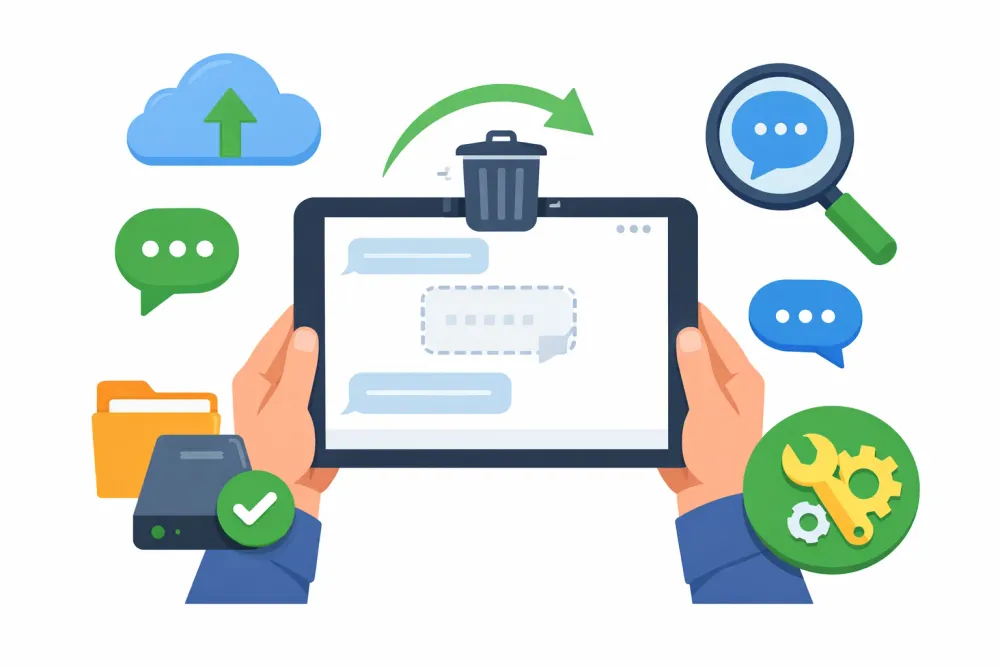
If the message was delivered to your iPhone before you blocked the contact but you later deleted the conversation, you're dealing with a different situation.
At this point, the goal isn't to find a "blocked messages" folder. Instead, you need to check whether a recoverable copy of the deleted message still exists on your device or in available data.
Start with Apple's built-in recovery options and any relevant backups. If those options don't contain the message you need, a third-party recovery tool may be worth considering.
Gbyte Recovery is designed to scan available iPhone data for deleted messages and other files, allowing you to preview potentially recoverable data before choosing what to restore. You can restore messages from different devices as long as you are signing in to the same Apple ID. Depending on the available data, Gbyte Recovery may be able to find older deleted messages as well, but recovery results can vary by device and data condition. Additionally, it won’t affect your current data, so you can utilize it with confidence.
Let’s walk through the detailed steps to recover iMessage chats via Gbyte Recovery:
Step 1: Install Gbyte Recovery for free by visiting its official website.
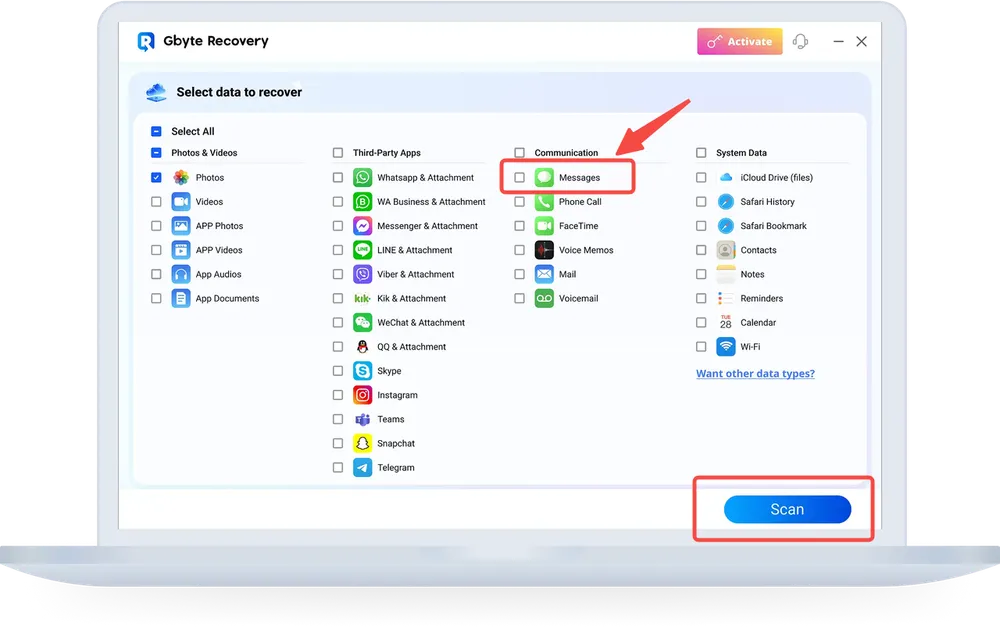
Step 2: After setting up, select Messages and tap Scan.
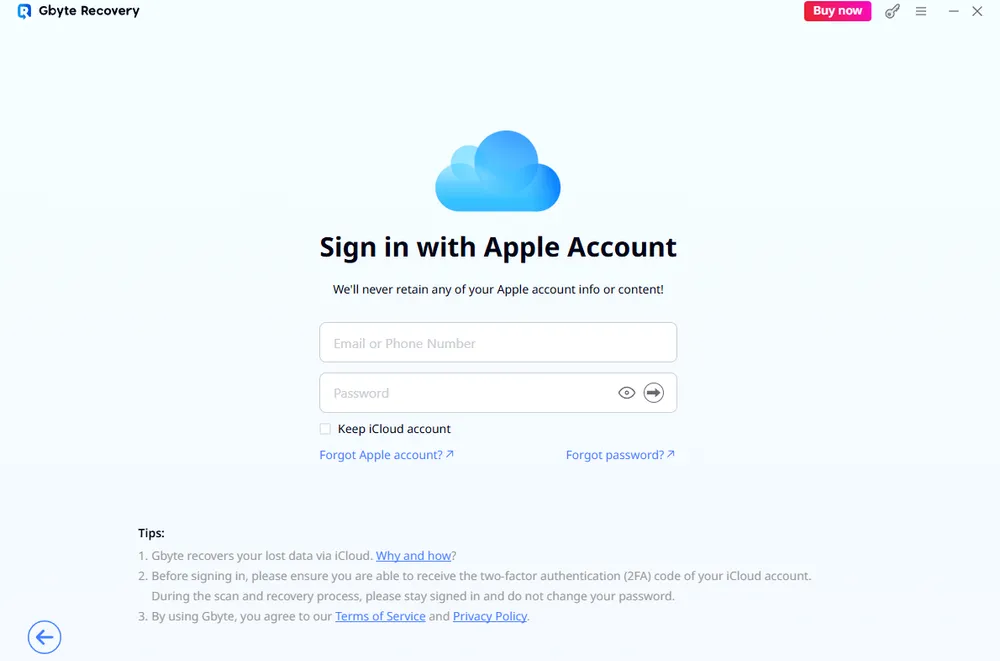
Step 3: You will be asked to sign in to your Apple ID. After logging in successfully, the service will automatically scan the messages, and you can check the process at the bottom.
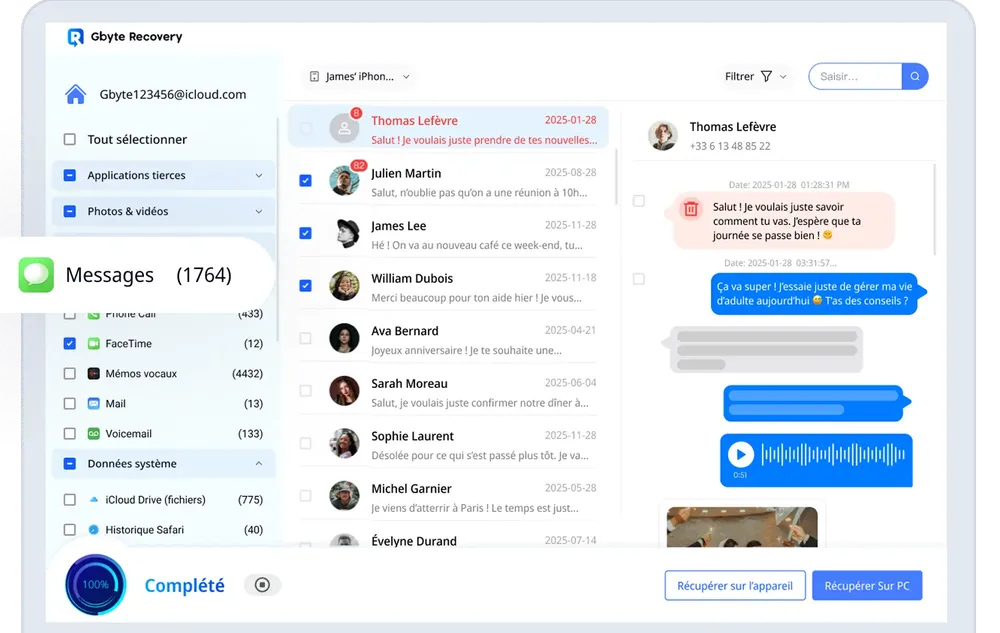
Step 4: When it’s done, all messages will be displayed on the main page. You can filter them by deleted messages, devices, etc. Now, you can select the message you want to recover. By tapping the Recover to PC button, the selected item can be restored.
On top of messages, Gbyte Recovery also allows you to restore files from many other apps, like Photos & Video, Contacts, Safari, Safari-history, Kik, Line, Instagram, Facetime, Email, Notes, etc. So, don’t worry if you cannot restore data from iCloud Backup or Sync to iCloud features. Gbyte Recovery has always got you covered.
Q: Can I see messages sent while someone was blocked on my iPhone?
A: Generally, no. Messages sent while a contact is blocked are not delivered to your iPhone and aren't stored in a blocked-message folder. Unblocking the contact later won't make those messages appear.
If you're trying to recover messages that were delivered before the block and later deleted, that's a different situation. In that case, you can check Apple's recovery options, backups, or use a third-party recovery tool such as Gbyte Recovery.
Q: Can you see blocked messages on iPhone after unblocking?
A: Generally, no.
Q: What happens if you send messages to someone who blocked you?
A: You can send messages to him/her if the recipient blocked you. However, the messages will never be delivered successfully if the recipient uses an iPhone. If the recipient uses an Android phone, your messages will always be in the Blocked Message folder. If he/she checks that folder, they can view the blocked messages.
If a message was sent while someone was blocked on your iPhone, there is generally no blocked-message folder to check, and unblocking the contact later won't retrieve those messages.
However, if the message was delivered before you blocked the contact and was later deleted, you may still have recovery options. Check Apple's built-in recovery features and available backups first. If those don't contain what you need, Gbyte Recovery can help you check whether any recoverable message data remains on your device.

 Add Gbyte as a preferred source on Google
Share


Related articles


Copyright ©2026 Gbyte. All rights reserved. Gbyte’s software is not developed by or affiliated with Apple Inc.
The installation wizard will automatically start after downloading.
After registration, the recovery process can be managed through the web interface.
You get it all with your purchase - no locked features, no hidden limitations.